

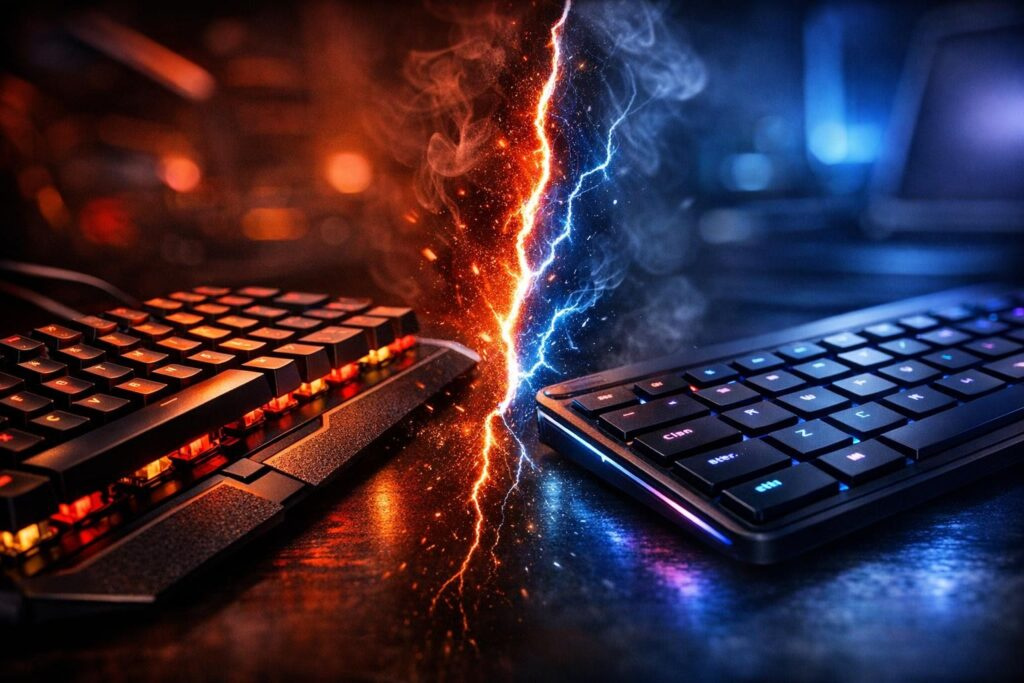

Picture this scenario: you’re locked in an intense ranked match, every keystroke matters, and suddenly your keyboard fails to register that crucial ability. Sound familiar? The difference between mechanical and membrane keyboards can literally determine whether you climb the leaderboard or stay stuck in lower ranks. Let’s break down everything you need to know about gaming keyboards so you can make the smartest choice for your setup.
Understanding How These Keyboards Actually Work
Before we dive into comparisons, let’s get the basics straight. Membrane keyboards operate using a simple rubber dome system underneath each key. When you press down, that rubber dome compresses and makes contact with a circuit board below. The catch? You need to press all the way down to register the keystroke, which means more effort and slower response times. These keyboards typically last around 5 to 10 million keystrokes before the rubber starts wearing out and feeling mushy.
On the flip side, mechanical keyboards are built completely differently. Each individual key has its own dedicated switch mechanism with a spring and stem. The genius part? These switches activate halfway through the keystroke, meaning faster input registration. You get that satisfying tactile bump or audible click that confirms your action registered. Plus, they’re built like tanks – lasting anywhere from 20 to 100 million keystrokes depending on the switch type.
The Technical Differences That Matter for Gaming
Here’s where things get interesting for competitive players. Mechanical switches offer something called N-key rollover, which means the keyboard can register every single keypress even if you’re mashing 10 keys simultaneously. Membrane keyboards usually cap out at 3-6 simultaneous inputs, leading to that frustrating phenomenon called “ghosting” where some of your keypresses simply vanish into thin air during heated gameplay moments.
| Feature | Mechanical Keyboards | Membrane Keyboards |
|---|---|---|
| Response Speed | Lightning fast (1-2ms actuation) | Moderate (5-10ms actuation) |
| Tactile Feedback | Crisp, distinct feeling per press | Soft, mushy sensation |
| Noise Level | Audible clicks and clacks | Nearly silent operation |
| Lifespan | 20-100 million keypresses | 5-10 million keypresses |
| Key Rollover | Full NKRO capability | Limited 3-6 key rollover |
| Price Range | $50-$300+ | $15-$80 |
| Weight | Heavier, solid construction | Lightweight, portable |
Why Competitive Gamers Swear by Mechanical Switches
Walk into any esports tournament and you’ll immediately notice one thing: the overwhelming majority of professional players are using mechanical gaming keyboards. This isn’t just brand sponsorship or preference – there are legitimate performance reasons behind this choice.
Speed and Precision That Actually Matters
In fast-paced shooters like Valorant or Apex Legends, milliseconds determine life or death. Mechanical switches actuate at the halfway point of their travel distance, meaning you’re registering inputs significantly faster than membrane counterparts. That tactile bump gives you instant confirmation that your command went through without needing to bottom out the key completely. Over thousands of keypresses in a single gaming session, this efficiency reduces finger fatigue dramatically.
- Instant actuation point creates faster reaction times in competitive scenarios
- Consistent pressure requirements across all keys maintain accuracy
- Tactile feedback eliminates guesswork about whether inputs registered
- Reduced key travel distance means less finger movement overall
Customization Options That Transform Your Experience
One massive advantage of mechanical keyboards is their modular nature. Don’t like how your switches feel? Swap them out for different ones. Want custom keycaps with better grip? Easy replacement. Modern hot-swappable mechanical keyboards let you change switches without any soldering, making experimentation completely accessible. You can fine-tune actuation force, travel distance, and sound profile to match your exact preferences.
RGB lighting on mechanical boards tends to be brighter and more customizable too. Whether you want per-key illumination that highlights your WASD cluster or reactive lighting that responds to your gameplay, mechanical keyboards offer far more granular control than membrane alternatives.
The Downsides You Should Consider
Let’s be honest – mechanical keyboards aren’t perfect for everyone. The noise can be substantial, especially with clicky switch types. If you’re gaming late at night with family members nearby or streaming without proper microphone filtering, that constant clacking might become problematic. Silent switch variants exist but still produce more sound than membrane options.
The price difference is real. Quality mechanical keyboards start around $50 and can easily exceed $200 for premium models. Membrane keyboards deliver basic functionality for under $30.
Weight is another consideration. Mechanical keyboards feel substantial and sturdy, which is great for stability during intense gaming but less ideal if you frequently transport your setup to LAN parties or gaming cafes.
When Membrane Keyboards Make Sense
Despite mechanical dominance in competitive gaming, membrane keyboards aren’t completely obsolete. They serve specific purposes exceptionally well, particularly for budget-conscious gamers or specific use cases.
Budget-Friendly Entry Point
If you’re just getting into PC gaming and need to allocate budget toward GPU, monitor, or other core components, a decent membrane keyboard gets you started without breaking the bank. Modern gaming-oriented membrane keyboards include features like anti-ghosting for multiple keypresses and programmable macro keys that cover basic gaming needs adequately.
Quiet Operation for Shared Spaces
Living with roommates or family members who aren’t thrilled about constant clicking? Membrane keyboards operate nearly silently, making them ideal for late-night gaming sessions without disturbing others. This makes them particularly popular among gamers in dormitories or apartments with thin walls.
- Whisper-quiet operation won’t wake sleeping household members
- Spill-resistant designs often include sealed membrane layers
- Lightweight construction makes them portable for travel
- Lower profile design saves desk space
Decoding Mechanical Switch Types for Gaming
Not all mechanical switches perform identically. Understanding the three main categories helps you choose the right switch type for your gaming style and preferences.
Linear Switches: The Speed Demon Choice
Linear switches like Cherry MX Red, Gateron Yellow, or Kailh Speed Silver provide smooth, consistent pressure from top to bottom with no tactile bump. These are the go-to choice for competitive FPS players who need rapid-fire inputs and double-tapping. The lack of tactile resistance means faster actuation and less finger fatigue during extended gaming marathons.
Best Linear Switches for Gaming
- Cherry MX Red: Classic choice with 45g actuation force, smooth travel
- Gateron Yellow: Budget-friendly alternative with excellent smoothness
- Kailh Speed Silver: Ultra-short actuation distance for maximum speed
- Cherry MX Black: Heavier 60g force prevents accidental presses
Tactile Switches: The Balanced Approach
Tactile switches like Cherry MX Brown or Gateron Brown provide a noticeable bump at the actuation point without the loud click. This gives you confirmation that your keypress registered while maintaining relatively quiet operation. They’re ideal for gamers who also use their keyboards for typing or prefer a bit of feedback without excessive noise.
Clicky Switches: Maximum Feedback
Clicky switches like Cherry MX Blue deliver both tactile bump and audible click with each keypress. While the sound can be satisfying and provides unmistakable confirmation of input registration, they’re generally too loud for competitive team environments or streaming without proper audio filtering. These work best for single-player gaming or situations where noise isn’t a concern.
Making Your Final Decision: Practical Selection Guide
Choosing between mechanical vs membrane keyboards ultimately depends on your specific situation, budget, and gaming priorities. Here’s a practical framework to guide your decision.
Budget-Based Recommendations
Under $50: Consider quality membrane keyboards with gaming features like anti-ghosting and programmable keys. Look for brands like Logitech, Redragon, or Corsair offering membrane gaming keyboards with decent build quality.
$50-$100: This is entry-level mechanical keyboard territory. Brands like Redragon, Royal Kludge, and budget Keychron models offer genuine mechanical switches at accessible prices. Expect basic features but solid performance.
$100-$200: Mid-range mechanical keyboards from established gaming brands like Razer, Corsair, SteelSeries, and Logitech. These include premium features like customizable RGB, dedicated media controls, and superior build quality.
$200+: Premium mechanical keyboards with wireless connectivity, hot-swappable switches, aluminum construction, and extensive customization options. Brands like Keychron, Ducky, and premium Corsair/Razer models dominate this space.
Gaming Genre Considerations
FPS Games: Linear mechanical switches with fast actuation provide the speed advantage you need. Look for keyboards with high polling rates (1000Hz minimum) and low latency wireless options if going cable-free.
MOBA Games: Tactile switches work well here since you need confirmation for ability casts but speed isn’t quite as critical. Programmable macro keys help with complex item combinations.
MMO Games: Consider keyboards with extensive macro capabilities regardless of switch type. Membrane keyboards can work adequately here since reaction time matters less than having enough programmable keys.
Casual Gaming: Honestly, either option works fine. Prioritize comfort, noise level, and budget over competitive performance metrics.
Testing Before Buying
If possible, visit a store with keyboard displays and actually test different switch types. Spend at least 10 minutes typing and simulating gaming movements. Pay attention to how your fingers feel after extended use. What sounds tolerable for 30 seconds might become annoying after an hour of gaming.
Many mechanical keyboard enthusiasts recommend buying a switch tester with 6-12 different switch types before committing to a full keyboard. These cost $15-30 and let you compare switches side-by-side.
Maintenance Tips to Maximize Keyboard Lifespan
Regardless of which keyboard type you choose, proper maintenance extends lifespan and maintains performance. Here are essential care practices every gamer should follow.
Regular Cleaning Routine
Dust, crumbs, and debris accumulate surprisingly quickly under keys. For mechanical keyboards, remove keycaps monthly and use compressed air to blast out accumulated particles. Follow up with a soft brush to sweep away stubborn debris. Wipe keycaps with isopropyl alcohol to remove oils from your fingers.
Membrane keyboards require gentler treatment since keycaps usually don’t remove easily. Use compressed air around the keys and wipe the surface with slightly damp microfiber cloth. Avoid excessive liquid that might seep under the membrane.
Spill Response Protocol
- Immediately disconnect the keyboard from power
- Flip it upside down to drain liquid away from circuitry
- Remove keycaps if mechanical and dry each component separately
- Let it dry completely for 24-48 hours before reconnecting
- For sugary drinks, rinse affected areas with distilled water first
The Bottom Line: Which Keyboard Type Wins for Gaming
After examining every angle of the mechanical versus membrane keyboard debate, the verdict for serious gamers is clear: mechanical keyboards deliver superior performance that justifies the higher investment. The faster response times, consistent actuation, durability, and customization options create a genuine competitive advantage while providing a more satisfying gaming experience overall.
That said, membrane keyboards aren’t completely obsolete. They serve as perfectly adequate entry points for casual gamers, excel in noise-sensitive environments, and work well for specific gaming genres where millisecond precision matters less. If budget constraints are real or you’re still exploring whether PC gaming is your long-term hobby, starting with a quality membrane keyboard makes practical sense.
For competitive players, content creators, or anyone spending significant hours gaming daily, mechanical keyboards represent an investment that pays dividends through improved performance, reduced fatigue, and years of reliable service. The upfront cost difference becomes negligible when amortized over the keyboard’s lifespan.
Ultimately, the best gaming keyboard is the one that matches your specific needs, budget, and preferences. Consider your gaming genres, noise tolerance, portability requirements, and available budget. Test switches in person when possible. Read reviews from gamers with similar use cases. Make an informed decision rather than simply following trends or brand loyalty.
Your keyboard is the primary interface between your intentions and in-game actions. Choosing wisely transforms this critical connection into a competitive advantage rather than a limiting factor. Whether you land on mechanical or membrane, make sure it enhances rather than hinders your gaming potential.
Frequently Asked Questions About Gaming Keyboards
Do mechanical keyboards actually improve gaming performance?
Yes, mechanical keyboards provide measurable advantages through faster actuation points, consistent key response, and full N-key rollover that prevents input drops during complex key combinations. These benefits translate to faster reaction times and more reliable input registration during competitive gameplay. However, the improvement is most noticeable at higher skill levels where millisecond differences matter.
How long do mechanical keyboards typically last compared to membrane keyboards?
Mechanical keyboards last significantly longer with switches rated for 20-100 million keystrokes depending on the manufacturer and switch type. Quality membrane keyboards typically last 5-10 million keystrokes before the rubber domes degrade and feel mushy. For reference, an average gamer pressing keys 10,000 times per day would take 5-27 years to wear out mechanical switches versus 1-3 years for membrane keyboards.
Are wireless mechanical keyboards good enough for competitive gaming?
Modern wireless mechanical keyboards with 2.4GHz connections and 1000Hz polling rates perform identically to wired counterparts with zero perceptible latency. Premium models from Logitech, Razer, and Corsair deliver sub-1ms response times that satisfy even professional esports players. Bluetooth connections typically have higher latency and aren’t recommended for competitive gaming, but proprietary wireless dongles eliminate any performance compromise.
What’s the best mechanical switch type for FPS gaming?
Linear switches like Cherry MX Red, Gateron Yellow, or Kailh Speed Silver are preferred for FPS gaming because they provide smooth, consistent travel without tactile bumps that could slow down rapid keypresses. The lack of tactile resistance allows for faster actuation and easier double-tapping. Speed variants with shorter actuation distances provide even faster response but require adjustment to prevent accidental presses.
Can I reduce mechanical keyboard noise without sacrificing performance?
Absolutely. Several approaches reduce noise while maintaining performance: choose linear or tactile switches instead of clicky types, install o-rings under keycaps to dampen bottoming-out sounds, use silent switch variants specifically designed for quieter operation, apply switch lubricant to reduce spring ping, or place a desk mat under your keyboard to absorb sound. Silent switches like Cherry MX Silent Red or Gateron Silent reduce noise by 30-40% compared to standard switches.
Is it worth spending over $150 on a gaming keyboard?
Premium keyboards above $150 offer tangible benefits like aircraft-grade aluminum construction, hot-swappable switches for easy customization, wireless connectivity with extended battery life, advanced software for per-key RGB and macro programming, dedicated media controls, and superior keycap materials. If you game extensively and value build quality, customization, and aesthetics, the investment makes sense. However, excellent mechanical keyboards exist in the $70-100 range that deliver core gaming performance without premium features.

Comments (0)
Sign In / Sign Up
Sign in to leave a comment.
No comments yet
Be the first one to share your thoughts!