

 fatheryarik
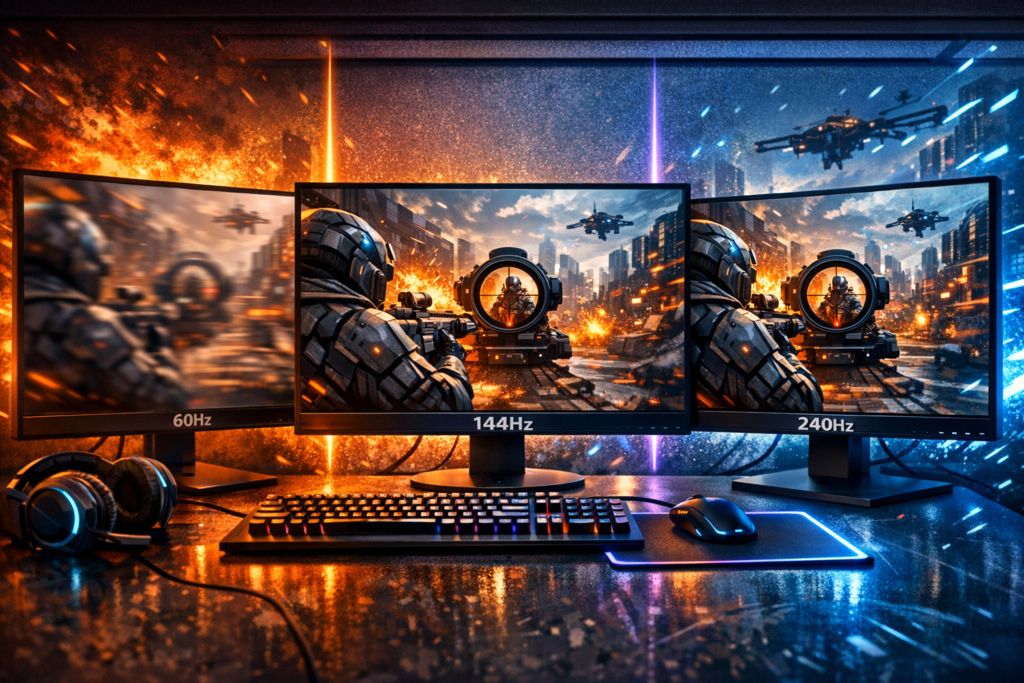
Picture this: you’re in an intense firefight, enemy appears around the corner, you aim and shoot—but something feels off. That split-second delay, that slight blur as you turn your crosshair, that frustrating feeling that your screen isn’t keeping up with your reflexes. Welcome to the world of refresh rates, where the difference between 60Hz, 144Hz, and 240Hz isn’t just about numbers—it’s about fundamentally changing how you experience gaming.
The gaming monitor refresh rate debate has been raging for years, and for good reason. Choosing the right refresh rate can mean the difference between feeling like you’re playing through molasses and experiencing buttery-smooth gameplay that responds instantly to your every command. Let’s break down what actually changes when you move from standard 60Hz displays to high-refresh-rate gaming monitors, and whether that upgrade is worth your hard-earned cash.
Understanding Refresh Rate: The Foundation of Smooth Gaming
Before we dive into comparisons, let’s get crystal clear on what refresh rate actually means. Your monitor refresh rate measures how many times per second your display updates the image on screen. A 60Hz monitor refreshes 60 times per second, a 144Hz monitor refreshes 144 times per second, and a 240Hz monitor—you guessed it—refreshes 240 times per second.
Think of it like a flipbook animation. The more pages you flip per second, the smoother the motion appears. Your gaming monitor works exactly the same way, displaying sequential frames to create the illusion of continuous movement. More refreshes mean more frames displayed, which translates to smoother motion and more responsive gameplay.
But here’s the crucial part many gamers miss: refresh rate and frame rate (FPS) are connected but different. Your graphics card renders frames, and your monitor displays them. If your GPU produces 200 FPS but your monitor only refreshes at 60Hz, you’re only seeing 60 of those frames. That’s why matching your monitor’s capabilities with your system’s performance is essential for optimal gaming experience.
60Hz Gaming Monitors: The Traditional Standard
The 60Hz refresh rate has been the industry standard for decades. Most office monitors, budget displays, and televisions operate at this frequency. For general computing tasks, watching movies, or casual web browsing, 60Hz works perfectly fine—you won’t notice any issues whatsoever.
When 60Hz Shows Its Limitations
Gaming changes everything, though. When you’re playing fast-paced titles—especially competitive shooters, racing games, or anything requiring quick reactions—60Hz starts showing its age. Here’s what you’ll typically experience:
- Noticeable motion blur when turning your camera quickly
- Slightly sluggish feeling between input and on-screen response
- Difficulty tracking fast-moving enemies or objects
- Screen tearing if you don’t use V-Sync (which adds input lag)
- Less fluid overall gameplay experience
That said, 60Hz isn’t completely obsolete for gaming. Story-driven single-player games, turn-based strategy titles, and slower-paced adventures work perfectly well at this refresh rate. Games like The Witcher 3, Civilization VI, or Stardew Valley don’t demand lightning-fast screen updates. The narrative experience remains engaging regardless of your refresh rate.
The Cost Advantage
The biggest advantage of 60Hz monitors is affordability. You can find excellent 1080p or even 1440p displays with 60Hz refresh rates for under $200. If you’re on a tight budget or primarily play slower-paced games, putting your money toward a better graphics card instead of a high-refresh monitor makes perfect sense.
144Hz Gaming Monitors: The Sweet Spot for Most Gamers
Now we’re talking serious gaming performance. The jump from 60Hz to 144Hz represents more than double the refresh rate—and trust me, you feel every single extra hertz. This upgrade is arguably the most impactful improvement you can make to your gaming setup, period.
What Actually Changes at 144Hz
The difference isn’t subtle—it’s immediate and dramatic. The moment you move your mouse or gamepad on a 144Hz display, you’ll notice something feels fundamentally different. Everything becomes incredibly smooth, almost unnaturally fluid if you’re coming from 60Hz.
Going from 60Hz to 144Hz is like taking off sunglasses you didn’t know you were wearing. Suddenly, everything is clearer, faster, and more responsive.
Here’s what transforms your gaming experience at 144Hz:
- Drastically reduced motion blur: Camera movements stay sharp and crisp, making tracking moving targets significantly easier
- Lower input lag: The time between your action and seeing results on screen drops noticeably
- Smoother animations: Everything from character movements to environmental effects looks more natural
- Competitive advantage: You see enemies sooner and can react faster in multiplayer games
- Improved aim precision: Your crosshair movements feel more connected to your hand movements
Gaming Performance Impact
For competitive gaming genres, 144Hz is transformative. First-person shooters like Valorant, CS:GO, Apex Legends, and Overwatch benefit enormously from high refresh rates. Battle royale games like Fortnite and PUBG become significantly more playable. Even racing simulators and fighting games gain substantial advantages from the increased responsiveness.
But here’s the catch: to truly benefit from a 144Hz gaming monitor, your system needs to consistently deliver at least 144 frames per second. This means you’ll need a decent graphics card—think GTX 1660 Super or better for 1080p gaming, or RTX 3060/RX 6600 XT for 1440p at high refresh rates.
Price and Availability
The market has matured beautifully for 144Hz displays. You can find quality 1080p 144Hz monitors starting around $180-220, while 1440p options range from $250-400. Premium models with additional features like HDR or ultrawide formats cost more, but the baseline entry point is surprisingly affordable.
This price-to-performance ratio makes 144Hz the undisputed sweet spot for most gamers. You get massive improvements over 60Hz without the premium pricing of 240Hz displays, and your hardware requirements remain reasonable.
240Hz Gaming Monitors: Professional-Grade Performance
Welcome to the top tier. 240Hz monitors represent the cutting edge of mainstream gaming display technology. But before you rush to upgrade, let’s talk about what you’re actually getting for that extra investment.
Diminishing Returns Explained
Here’s the honest truth: the jump from 144Hz to 240Hz is nowhere near as dramatic as going from 60Hz to 144Hz. The improvements exist, absolutely, but they’re subtle. Most casual gamers won’t immediately perceive the difference, especially if they’re not specifically looking for it.
Why? Because of how human perception works. The difference between 16.6ms frame time (60Hz) and 6.9ms (144Hz) is substantial—that’s nearly 10 milliseconds. But the difference between 6.9ms (144Hz) and 4.2ms (240Hz) is only 2.7 milliseconds. The absolute improvement shrinks even though the percentage increase remains high.
Who Actually Benefits from 240Hz
Professional esports players and high-level competitive gamers—that’s the target audience. When tournaments offer prize pools in the hundreds of thousands of dollars, every millisecond of advantage matters. At the highest skill levels, that 2.7ms difference can mean landing the shot first or getting eliminated.
If you’re seriously grinding competitive shooters, regularly competing in tournaments, or streaming gameplay professionally, 240Hz makes sense. For everyone else? It’s a luxury rather than a necessity.
The Hardware Requirements
Achieving 240 FPS consistently demands serious hardware. Even in esports titles optimized for performance, you’ll need a high-end graphics card—think RTX 4070 or better for modern games at 1080p. For 1440p at 240Hz? You’re looking at flagship GPUs like the RTX 4080 or RX 7900 XTX.
Most AAA games with maxed graphics settings won’t hit 240 FPS even on top-tier hardware. That’s why competitive players often lower graphics settings—they prioritize frame rate over visual fidelity because performance directly impacts their results.
Pricing Reality Check
240Hz monitors command premium prices. Quality 1080p models start around $350-400, while 1440p options easily exceed $500-700. You’re paying significantly more for incremental improvements compared to 144Hz alternatives with similar panel quality and features.
Direct Comparison: Breaking Down the Differences
Let’s put everything side by side to see how these refresh rates stack up across different metrics:
| Feature | 60Hz | 144Hz | 240Hz |
|---|---|---|---|
| Frame Time | 16.6ms | 6.9ms | 4.2ms |
| Motion Clarity | Moderate blur | Clear motion | Extremely clear |
| Input Lag | Baseline | Significantly reduced | Minimally improved |
| Competitive Edge | Disadvantage | Strong advantage | Maximum advantage |
| GPU Requirements | Low-medium | Medium-high | High-extreme |
| Price Range | $150-250 | $200-400 | $350-700+ |
| Best For | Casual gaming | Serious gamers | Competitive pros |
Matching Your Monitor to Your Gaming Style
Choosing the right refresh rate isn’t about picking the highest number—it’s about finding what matches your gaming habits, hardware, and budget.
For Competitive Multiplayer Gamers
If you regularly play competitive shooters, battle royales, or MOBA games where reaction time matters, invest in at least 144Hz. The improvement in target tracking, aim precision, and overall responsiveness directly translates to better performance. If you have the budget and hardware to support it, 240Hz provides additional edge, though the returns diminish.
For Single-Player and Story-Driven Experiences
Honestly? Even 60Hz works fine for narrative-focused games. However, once you experience 144Hz, even single-player games feel noticeably better. Character animations flow more naturally, camera movements feel more connected to your inputs, and the overall experience becomes more immersive. It’s not necessary, but it’s definitely nice to have.
For Budget-Conscious Gamers
If money is tight, prioritize your graphics card over your monitor. A powerful GPU paired with a 60Hz display will let you play more games at higher settings. Once you’ve got solid performance, then upgrade to 144Hz as your next major purchase. This approach gives you the most gaming value per dollar spent.
For Content Creators and Streamers
Consider 144Hz as your baseline. The smooth gameplay looks better on stream, and you’ll appreciate the responsiveness during long gaming sessions. Unless you’re streaming competitive gameplay at a professional level, 240Hz is probably overkill—put that money toward better streaming equipment instead.
The Graphics Card Equation: Don’t Forget Your GPU
This cannot be stressed enough: buying a high-refresh monitor without adequate GPU power is pointless. Your graphics card must consistently deliver frame rates matching or exceeding your monitor’s refresh rate to realize the benefits.
Recommended GPU Tiers by Refresh Rate
For 144Hz at 1080p:
- Minimum: GTX 1660 Super, RX 5600 XT
- Recommended: RTX 3060, RX 6600 XT
- Ideal: RTX 4060 Ti, RX 7600 XT
For 144Hz at 1440p:
- Minimum: RTX 3060 Ti, RX 6700 XT
- Recommended: RTX 4070, RX 7800 XT
- Ideal: RTX 4070 Ti, RX 7900 XT
For 240Hz at 1080p:
- Minimum: RTX 4060 Ti, RX 7700 XT
- Recommended: RTX 4070 Super, RX 7900 GRE
- Ideal: RTX 4080, RX 7900 XTX
Remember, these recommendations assume you want high settings. Lowering graphics quality allows less powerful cards to reach higher frame rates—which many competitive players do intentionally.
Technologies That Enhance High Refresh Rate Gaming
Your refresh rate doesn’t exist in isolation. Several technologies work alongside high-refresh monitors to optimize your gaming experience.
Adaptive Sync Technologies
FreeSync (AMD) and G-Sync (NVIDIA) synchronize your monitor’s refresh rate with your GPU’s frame output. This eliminates screen tearing without the input lag that traditional V-Sync introduces. If you’re investing in a high-refresh monitor, make sure it supports adaptive sync compatible with your graphics card.
Response Time Matters Too
Refresh rate tells you how often the image updates; response time tells you how quickly pixels change colors. For fast-paced gaming, look for monitors with 1ms or 2ms response times. Slower response times cause ghosting, where previous frames leave trails behind moving objects.
Panel Type Considerations
TN panels typically offer the fastest response times but worse color accuracy and viewing angles. IPS panels provide beautiful colors and wide viewing angles with slightly slower response times. VA panels sit in the middle. For competitive gaming, TN or fast IPS panels work best. For immersive single-player experiences, prioritize IPS for superior image quality.
Real-World Gaming Scenarios: What to Expect
Let’s talk practical examples of how different refresh rates impact specific gaming experiences.
Competitive First-Person Shooters
Games like Valorant, CS:GO, Rainbow Six Siege, and Call of Duty Warzone benefit massively from high refresh rates. The difference between 60Hz and 144Hz is game-changing—literally. You’ll track enemies more accurately, land more shots, and react faster to threats. Professional players almost universally use 240Hz+ displays because the competitive advantages are measurable and significant.
Battle Royale Games
Fortnite, Apex Legends, and PUBG all reward quick reactions and precise aim. 144Hz provides substantial improvements over 60Hz, making building, tracking, and combat more fluid. The chaotic nature of battle royale gameplay—with multiple enemies, explosions, and fast movements—becomes much more manageable with higher refresh rates.
Racing and Sports Games
Racing simulators like Assetto Corsa, F1 series, or Forza Motorsport feel dramatically smoother at 144Hz. The sense of speed improves, and you can react to track conditions more naturally. Sports games like FIFA or NBA 2K also benefit, though the improvements are less critical than in shooters.
RPGs and Adventure Games
Titles like Elden Ring, The Witcher 3, or Cyberpunk 2077 don’t strictly require high refresh rates, but they definitely look and feel better at 144Hz. Camera movements during exploration feel more connected, combat becomes smoother, and the overall experience gains polish. It’s not necessary, but once you’ve experienced it, going back feels restrictive.
Strategy and Simulation Games
Games like Civilization VI, Cities: Skylines, or StarCraft II don’t demand high refresh rates. 60Hz works perfectly fine. If you primarily play these genres, investing in a high-refresh monitor should be low priority—better to spend money on a larger screen or higher resolution instead.
Common Myths and Misconceptions About Refresh Rates
Let’s clear up some widespread confusion about gaming monitor refresh rates.
Myth: Human Eyes Can Only See 60 FPS
Completely false. Human vision doesn’t work in frames per second, and we can absolutely perceive differences well beyond 60Hz. Multiple scientific studies confirm that trained individuals can detect improvements up to 200Hz and beyond, especially during motion. Anyone claiming you can’t see above 60Hz either hasn’t tried a high-refresh monitor or doesn’t understand human perception.
Myth: Higher Refresh Rate Guarantees Better Performance
Your monitor doesn’t make you play better—it gives you the tools to perform at your potential. If you have poor aim or slow reactions, a 240Hz monitor won’t magically fix that. However, it removes technical limitations that might be holding back skilled players.
Myth: You Need Exactly Matching FPS to Refresh Rate
Ideally, yes, but it’s not an all-or-nothing situation. If your system delivers 100 FPS on a 144Hz monitor, you still get benefits over 60Hz. With adaptive sync enabled, everything stays smooth even with fluctuating frame rates. Don’t skip a monitor upgrade just because you can’t hit the exact refresh rate 100% of the time.
Myth: Refresh Rate Is the Only Thing That Matters
Response time, input lag, color accuracy, contrast ratio, and resolution all contribute to gaming experience. A 240Hz monitor with terrible colors and high input lag will disappoint. Look at the complete package, not just the refresh rate specification.
Making Your Final Decision: A Practical Framework
After considering all the factors, here’s a straightforward decision framework to guide your choice.
Start With These Questions
- What’s your total budget for monitor plus potential GPU upgrade?
- What games do you primarily play?
- How seriously do you take competitive gaming?
- What frame rates does your current system achieve?
- Are you planning a GPU upgrade soon?
The Recommended Path for Most Gamers
For the vast majority of gaming enthusiasts, the optimal choice is crystal clear: invest in a quality 144Hz monitor (or the increasingly common 165Hz variants). This refresh rate delivers transformative improvements over 60Hz without the diminishing returns and premium pricing of 240Hz displays.
A 1080p 144Hz monitor with adaptive sync costs roughly $200-250 and pairs beautifully with mid-range graphics cards. If your budget allows, 1440p at 144Hz offers stunning visual clarity alongside smooth motion, typically running $300-400 for quality models.
When to Consider 240Hz
Only pursue 240Hz if you meet multiple criteria from this list:
- You compete regularly in esports tournaments or high-level ranked play
- You already have a high-end GPU capable of 240+ FPS
- You primarily play competitive shooters optimized for high frame rates
- Budget isn’t a constraining factor
- You’ve already experienced 144Hz and specifically want the incremental improvement
If you don’t check most of these boxes, save your money or put it toward other upgrades.
When 60Hz Still Makes Sense
Stick with 60Hz if you’re on an extremely tight budget and need to prioritize other components first. Also consider it if you exclusively play slow-paced games that don’t benefit from high refresh rates. In these specific scenarios, spending money on higher resolution or better color accuracy provides more value than refresh rate.
The Future of Refresh Rate Technology
Gaming monitor technology continues advancing rapidly. We’re now seeing 360Hz and even 480Hz displays entering the market, though these push well beyond what most gamers can utilize or even perceive. OLED gaming monitors are also emerging, combining high refresh rates with perfect blacks and instantaneous response times.
What does this mean for your purchase decision? Buy for your current needs, not hypothetical future requirements. A quality 144Hz or 240Hz monitor will serve you excellently for years. By the time you’re ready to upgrade again, the technology landscape will have shifted significantly anyway.
Final Verdict: What Refresh Rate Should You Choose
The upgrade from 60Hz to 144Hz represents one of the single most impactful improvements you can make to your gaming setup. It fundamentally transforms how games look and feel, providing benefits across virtually every genre. The difference is immediate, dramatic, and permanent—once you’ve experienced high-refresh gaming, standard 60Hz feels noticeably worse.
The jump from 144Hz to 240Hz exists, certainly, but it’s subtle and expensive. Unless you’re competing at high levels where milliseconds determine outcomes, the cost-benefit ratio doesn’t favor this upgrade for most gamers.
My recommendation for the majority of gaming enthusiasts remains consistent: target 144Hz or 165Hz as your sweet spot. It delivers exceptional performance, remains affordable, doesn’t demand extreme hardware, and provides tangible advantages across all gaming scenarios. Pair it with adaptive sync technology and a graphics card capable of delivering consistent high frame rates, and you’ve built a gaming experience that will satisfy for years to come.
Remember the fundamental rule: your monitor and GPU must work together. The best gaming monitor in the world can’t overcome weak graphics card performance, and the most powerful GPU wasted on a 60Hz display leaves performance on the table. Balance your system components, choose the refresh rate that matches your gaming style and budget, and prepare for a significantly improved gaming experience.
The difference isn’t just technical specifications on a spec sheet—it’s about how games feel in your hands, how responsive your character becomes, and how much more immersed you feel in the gaming worlds you explore. That’s what truly matters, and that’s what high refresh rate gaming delivers.
Frequently Asked Questions About Gaming Monitor Refresh Rates
Is 144Hz worth it over 60Hz for gaming?
Absolutely yes. The upgrade from 60Hz to 144Hz is one of the most noticeable improvements you can make to your gaming setup. You’ll experience dramatically smoother motion, reduced blur during fast movements, lower input lag, and better responsiveness across all game types. The difference is immediately perceptible and significantly enhances your gaming experience, especially in fast-paced competitive titles.
Can you really see the difference between 144Hz and 240Hz?
The difference exists but is much more subtle than the jump from 60Hz to 144Hz. Most casual gamers won’t notice the improvement immediately, while competitive players and those with trained eyes can perceive the slightly smoother motion and reduced input lag. If you’re not playing at a high competitive level, the cost difference typically isn’t justified by the marginal performance improvement.
What graphics card do I need for 144Hz gaming?
For 1080p 144Hz gaming, aim for at least a GTX 1660 Super or RX 5600 XT as minimum, though an RTX 3060 or RX 6600 XT is recommended for consistent performance. For 1440p 144Hz, you’ll want an RTX 3060 Ti or RX 6700 XT minimum, with RTX 4070 or RX 7800 XT being ideal. The exact requirements vary by game and graphics settings.
Does high refresh rate make you a better gamer?
High refresh rates provide you with better tools to perform at your potential by reducing input lag and improving motion clarity, but they don’t automatically improve your skill. Think of it like upgrading from a basic mouse to a gaming mouse—the hardware removes technical limitations, allowing your actual skill to shine through. Players with good fundamentals will see competitive advantages, while poor players will still need practice regardless of their monitor.
Is 240Hz overkill for casual gaming?
For casual gaming, yes, 240Hz is generally overkill. The improvements over 144Hz are minimal for non-competitive play, and the significantly higher cost of both the monitor and the GPU power required to drive 240 FPS makes it a poor value proposition. Casual gamers should invest in 144Hz and spend the savings on other components or a higher resolution display instead.
Can I use a 144Hz monitor if my PC only gets 100 FPS?
Yes, absolutely. You’ll still see improvements over a 60Hz monitor even if you can’t consistently hit 144 FPS. With adaptive sync technology like FreeSync or G-Sync enabled, your monitor will synchronize with your actual frame rate, eliminating screen tearing and maintaining smooth gameplay. You don’t need to hit the exact refresh rate to benefit from a higher-refresh monitor.
Do refresh rates matter for single-player games?
While not as critical as in competitive multiplayer games, higher refresh rates still improve single-player experiences noticeably. Camera movements feel more responsive, character animations appear smoother, and the overall experience becomes more immersive. If you play a mix of single-player and multiplayer games, 144Hz provides value across both categories, though it’s not strictly necessary for story-driven games.
Should I prioritize refresh rate or resolution?
This depends on your gaming preferences. For competitive multiplayer games, prioritize refresh rate—get 1080p 144Hz over 1440p 60Hz. For immersive single-player games with beautiful graphics, higher resolution might provide more value. Ideally, 1440p at 144Hz offers the best of both worlds if your budget and GPU can handle it. Consider what games you primarily play when making this decision.
Comments (0)
Sign In / Sign Up
Sign in with your Google account to leave a comment. It's fast, easy, and secure.
No comments yet
Be the first one to share your thoughts!