

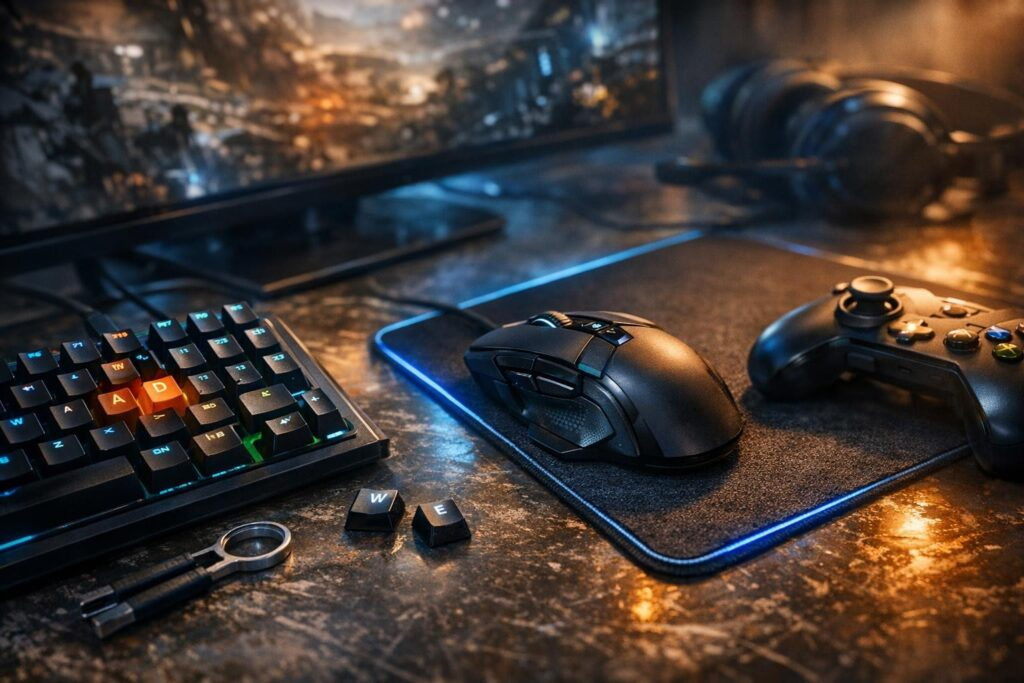

Ever launched a new game, looked at the default key layout, and immediately thought, “Why does this feel so awkward?” You’re not alone. Game developers create control schemes that work “okay” for everyone but perfectly for nobody. That’s where the art of keybinding comes in—properly configured keys can completely transform your gameplay experience, making it smoother, more responsive, and genuinely comfortable.
Keybinding isn’t just about reassigning buttons randomly. It’s a philosophy of control optimization that considers your hand anatomy, game mechanics, and action logic. Professional gamers understand that the difference between average and elite performance often comes down to how they’ve configured their keyboard and mouse. Let’s explore how to organize your controls so you can play better and stay comfortable during those marathon gaming sessions.
Why Default Keybinds Don’t Cut It
Standard keyboard layouts in most games are designed without considering how experienced players actually perform. Movement isn’t just about getting from point A to point B—it’s the foundation of every combat action you take. When you’re stuck with WASD for movement and only a handful of nearby keys for abilities, you’ve created a bottleneck: during intense fights, you can’t simultaneously move and quickly activate all necessary skills.
The problem gets worse when you realize that most ability keys in default layouts sit far from your natural finger positions. If Q is your only additional key to the left, that’s clearly insufficient for games requiring frequent use of multiple abilities. Skilled gamers solve this through strategic keybind customization.
Foundation: Movement and Accessibility
Here’s the golden rule you need to memorize: movement must be your absolute top priority. This isn’t sentimentality—it’s cold combat logic. If you can’t move quickly during fights, you can’t dodge damage, chase enemies, or secure advantageous positions.
WASD has become the standard that’s deeply embedded in gaming culture. However, many professionals suggest an alternative: ESDF or EDRF instead of WASD. Why the shift? Because it grants access to more keys on the left side. With WASD, you’re limited to Q and maybe Shift/Ctrl nearby. Switch to ESDF, and suddenly you’ve unlocked additional ability slots.
There’s a catch though: rebuilding muscle memory demands time and persistence. Don’t jump into ranked matches or hardcore raids immediately after changing your keybinds. Start with new characters, practice in relaxed environments, and give yourself at least several hours to adapt.
The Science of Hand Position
Your hand naturally rests with fingers spread across specific keys. Understanding this ergonomic reality helps you place critical actions where your fingers already want to be. Standard WASD positioning means your pinky handles A, ring finger on S, middle on D, and index on W. Your thumb naturally hovers over the spacebar. This setup feels comfortable because it aligns with natural hand mechanics.
Keybind Structure: Logic and Organization
Effective keybinding follows a principle of logical action organization. This isn’t random distribution—it’s a system where every ability lives where it makes gameplay sense.
Core Distribution Principles
Frequently used abilities (primary damage dealers, basic actions) belong on your most accessible keys. Typically, this means F, D, S, A, and number keys 1-5. The finger activating your main rotation should stay relaxed and naturally positioned.
Mobility and defensive cooldowns get bound to quick-access keys. E often handles short-distance mobility skills (rolls, dashes, blinks) because it’s easy to hit even when your fingers are busy with movement. These are life-saving abilities, so they need maximum accessibility.
Healing and protective abilities deserve dedicated slots. R frequently gets assigned to heals and shields. If you’re playing a character with self-healing, this key should be among the first you can reach in dangerous situations.
Utility abilities and buffs are important but shouldn’t interfere with combat effectiveness. They often bind to Q or modifier combinations (Shift+key, Ctrl+key).
Major cooldowns and situational abilities that see less frequent use can sit on number keys 2, 3, 4, 5, or extra mouse buttons. Here you can afford slightly extended reach since these aren’t actions you’re executing every half-second.
Building Your Action Hierarchy
- Tier 1 (Constant use): Primary attacks, basic movement abilities
- Tier 2 (Frequent use): Secondary abilities, mobility skills, common defensive actions
- Tier 3 (Moderate use): Cooldown abilities, situational skills
- Tier 4 (Rare use): Ultimate abilities, consumables, mount/vehicle calls
Engaging Both Hands: Balance and Comfort
One of the most undervalued keybinding principles is distributing workload evenly between both hands. If your left hand does everything while your right hand just aims, your left hand will fatigue faster, potentially hurt, and your performance will tank. Your right hand shouldn’t just control the mouse—it can accomplish much more.
Extra mouse buttons represent a goldmine for keybinding optimization. Side buttons (typically operated by your thumb) work perfectly for abilities you need regularly but not constantly. The mouse wheel can handle rare but important actions. Even the middle mouse button has potential.
However, remember this critical principle: don’t bind precision-critical actions to mouse buttons if they might affect your aim. In shooters, you can’t bind reload or weapon switching to buttons that might throw off your crosshair placement. Ask yourself: will pressing this button move my aim? If yes—find another option.
Mouse Button Best Practices
- Side buttons: Secondary abilities, item usage, quick actions
- Scroll up/down: Weapon cycling, ability rotation
- Middle click: Map toggles, ping systems, targeting markers
- DPI switches: Situational sensitivity adjustments
Modifiers: Multiplying Available Actions
When you run out of convenient keys, one powerful technique emerges: using modifier keys (Shift, Ctrl, Alt). Shift+Q becomes a completely different ability from plain Q. This allows a single physical key to encode multiple actions.
For example, you might set up:
- E — Forward dash
- Shift+E — Jump ability
- Ctrl+E — Side dodge
This proves incredibly powerful, but requires discipline. Don’t create an overly complex system where you’re memorizing 30 modifier combinations. The optimal approach: each physical key encodes no more than 2-3 actions.
Shift and Ctrl are accessible with both hands, making their combinations feel natural. Alt can be awkward for the left hand, so it’s often reserved for infrequent actions.
Modifier Strategy Guidelines
Start simple with your modifier system. Use base keys for your core rotation, Shift+key for related or enhanced versions of abilities, and Ctrl+key for defensive or utility versions. This creates an intuitive pattern your brain can easily memorize.
Comfort: Anatomy and Extended Gaming Sessions
Keybinding theory sounds great, but if your hand aches after an hour of play, something’s wrong. Comfort isn’t luxury—it’s necessity for serious gameplay.
Standard finger positioning on WASD looks like this: pinky on A, ring finger on S, middle on D, index on W, and thumb on spacebar. This feels relatively comfortable. Problems begin when you need to reach uncomfortable keys.
The comfort key: use keys you can press without changing hand position. Access zones break down as:
- Easy zone (minimal finger movement): WASD, QE, spacebar, Shift, Ctrl
- Medium zone (slight movement): RF, number keys 1-5 with modifiers
- Difficult zone (requires repositioning): 6-0, special symbols, Alt
If your game demands frequent use of abilities from the difficult zone, that’s a red flag. Reconsider your distribution.
Preventing Hand Strain
Watch for warning signs of poor keybinding ergonomics. If you’re constantly stretching fingers uncomfortably, experiencing hand cramps, or feeling finger fatigue quickly, your layout needs adjustment. Gaming should challenge your skills, not your physical endurance.
Genre-Specific Keybinding Strategies
MMO and RPG Keybinds
For MMORPGs and role-playing games where you’re juggling mobility and numerous abilities, this structure works effectively: WASD movement, 4-5 primary abilities on QERF, healing on R, emergency skills on Shift+keys, major cooldowns on number keys.
MMO players benefit from creating ability groups. Damage rotation on easy-access keys, crowd control on medium-access keys with modifiers, buffs and cooldowns on number keys. This creates mental categories that speed up decision-making.
FPS and Shooter Keybinds
For first-person shooters where precision and reaction speed dominate, movement stays on WASD, primary fire on LMB, secondary fire on RMB, reload often on R, grenades on F, interaction on E. Side mouse buttons handle abilities and equipment switches.
Shooter players should prioritize keeping aim stable. Any keybind that might jostle your mouse hand during critical moments needs relocation to keyboard or less intrusive mouse buttons.
MOBA and Strategy Keybinds
For MOBAs and real-time strategy games, keybinds focus less on individual ability speed and more on logical organization. Item actives need quick access, ability smart-casting speeds up execution, and control groups for units require memorable patterns.
Implementation: Your Step-by-Step Action Plan
Step One: Identify what happens most frequently in your game. In shooters, it’s firing weapons. In RPGs, it’s spamming primary abilities. In MMOs, it’s combining multiple actions. Whatever happens most deserves maximum accessibility.
Step Two: Create a comprehensive list of all important actions and distribute them across accessibility zones considering their priority. Don’t try cramming 50 abilities onto your keyboard simultaneously.
Step Three: Test your scheme practically, but not under pressure. Play solo campaigns, training servers, or casual matches. Give yourself minimum 2-3 hours for adjustment.
Step Four: Analyze your mistakes. Constantly hitting wrong keys? Maybe they need repositioning closer. Fingers uncomfortable? Find more natural placement.
Step Five: Remember the golden rule—don’t copy someone else’s keybinds exactly. Take their structure and philosophy but adapt for yourself. Your hand, your habits, your needs.
Common Keybinding Mistakes to Avoid
Mistake One: Overloaded modifiers. If you’re memorizing 20 combinations of Shift+Ctrl+Alt, you’ve overcomplicated things. Start simple: base actions without modifiers, rare actions with modifiers.
Mistake Two: Placing mobility on awkward keys. If your emergency escape sits on key 8, which requires stretching every finger, you’ll die in critical moments. Mobility must be intuitive.
Mistake Three: Ignoring ergonomics. Yes, you can play through hand pain, but it’s unsustainable. After a week, the pain only intensifies. Comfort represents investment in future improvement.
Mistake Four: Changing keybinds too frequently. Every time you modify your setup, muscle memory resets. Don’t torture yourself seeking perfect configuration daily. Choose a reasonable setup and commit for at least a week.
The Adaptation Period Reality Check
Expect performance drops initially after changing keybinds. Your brain needs time to rewire neural pathways. This is normal and temporary. Push through the awkward phase—it typically lasts 5-10 hours of active play before new binds feel natural.
Advanced Tools and Equipment Considerations
Modern gaming mice and keyboards aren’t just flashy gadgets—they’re genuine optimization tools. Mice with 12+ programmable buttons let you offload keyboard duties. Mechanical keyboards provide superior tactile feedback, improving reaction accuracy.
For analyzing your keybinding effectiveness, heatmap software shows which keys you press most frequently. If you discover you’re constantly hitting uncomfortable keys, that signals reorganization time.
Hardware That Makes a Difference
- MMO mice: 12-button side panels perfect for ability-heavy games
- Mechanical keyboards: Faster actuation, better feedback, improved durability
- Ergonomic designs: Split keyboards and vertical mice reduce strain
- Customizable DPI: On-the-fly sensitivity adjustment for different scenarios
Cross-Game Consistency and Adaptation
Interesting point: one keybinding setup doesn’t necessarily need to be identical for all characters in an MMO. If you’re playing a warrior and a mage with completely different roles, you can create two slightly varied schemes. However, the core should remain consistent: WASD for movement, R for heals, E for mobility. This creates coherence that transfers between characters and even between games.
Experienced gamers maintain the same keybinding philosophy across all their games. This means when you switch from your RPG to a shooter, basic control mechanics already feel familiar. You spend time adapting to game mechanics, not relearning controls.
Building Your Personal Control Language
Think of your keybinds as a personal control language. Once established, this language should translate across your entire gaming library. E always means quick mobility. R always means heal or reload. Q always means primary alternate ability. This consistency dramatically reduces learning curves for new games.
The Long-Term Perspective on Keybinding
Keybinding isn’t a one-time setup—it’s an ongoing optimization process. As you develop as a player, your needs evolve. Beginner players might manage with 6-8 active abilities. Advanced players utilize 15-20. Each time you explore a new role or class, there’s opportunity for minor tuning.
The key is maintaining balance between consistency and adaptability. Don’t completely overhaul your system monthly, but stay open to small adjustments when you realize something could work better.
Documenting Your Setup
Consider maintaining documentation of your keybinding philosophy and specific configurations. When you switch computers, reinstall games, or take extended breaks, having this reference saves hours of reconfiguration. Screenshot your settings screens or maintain a simple text file with your bindings.
From Theory to Mastery
Proper keybinding represents that rare case where theory and practice work in perfect harmony. You can know every principle, but only actual gameplay reveals what truly works. Remember: there’s no universally perfect keybinding, only the optimal keybinding specifically for you.
Start simple. Determine what happens most frequently in your game. Make that maximally accessible. Distribute everything else logically. Then play, adapt, and optimize. After several hours of training, you’ll notice the difference—movements become smoother, reactions faster, and hands stay fresh even after marathon sessions.
Because ultimately, gameplay is dialogue between player and tools. When tools fit perfectly, that dialogue approaches telepathy. And that feeling, you’ll agree, is exactly why we game in the first place.
Pro Player Insights and Competitive Advantages
Professional gamers spend countless hours perfecting their keybinds because they understand the competitive edge proper configuration provides. In esports, milliseconds matter. The difference between hitting your escape ability instantly versus fumbling for the right key can mean tournament victory or elimination.
Watch professional streams and you’ll notice their fingers barely move during intense action. That’s not superhuman ability—it’s optimized keybinding allowing minimal hand movement for maximum action execution. They’ve eliminated wasted motion through strategic key placement.
The Muscle Memory Investment
Building muscle memory for new keybinds requires patience and deliberate practice. Don’t just play normally—actively focus on your new bindings during initial sessions. Verbally remind yourself: “E for dash, R for heal.” This conscious repetition accelerates the transition from thinking to instinct.
Practice specific scenarios repeatedly. If you struggle with a particular key combination during fights, recreate that situation in training mode and drill it specifically. Targeted practice beats general gameplay for building specific muscle memory pathways.
Accessibility and Individual Needs
Keybinding optimization isn’t one-size-fits-all, especially considering different physical needs and abilities. Players with smaller hands might find standard WASD+number keys uncomfortably stretched. Players with mobility limitations might rely more heavily on mouse buttons or foot pedals.
Modern gaming has embraced accessibility, with many titles offering extensive remapping options, one-handed control schemes, and alternative input methods. Don’t feel constrained by “standard” setups—configure controls that work for your specific situation.
Alternative Control Schemes
- One-handed layouts using mouse heavily for abilities
- Foot pedal integration for modifier keys or common actions
- Voice command integration for non-time-critical actions
- Controller hybrid setups combining gamepad and mouse
Testing and Refinement Methodology
Approach keybinding optimization scientifically. Change one element at a time so you can identify what works and what doesn’t. If you overhaul everything simultaneously and something feels wrong, you won’t know which specific change caused the problem.
Keep notes during your testing phase. After each gaming session, jot down what felt natural and what felt awkward. Patterns emerge quickly—maybe you kept accidentally hitting F instead of D, suggesting those abilities should swap positions.
Performance Metrics to Track
- Actions per minute (APM) before and after changes
- Misclick frequency on specific abilities
- Hand fatigue onset timing
- Reaction time improvements for critical actions
- Overall comfort level during extended play
The Psychology of Control
There’s a psychological component to keybinding that gets overlooked. When controls feel intuitive, you enter flow state more easily. Your conscious mind stops micromanaging individual button presses and focuses on strategy and decision-making instead.
This mental liberation is keybinding’s ultimate goal. You’re not trying to memorize complex combinations—you’re trying to make controls disappear from conscious thought entirely, becoming extensions of intention rather than obstacles requiring attention.
Community Resources and Shared Knowledge
Gaming communities are treasure troves of keybinding wisdom. Game-specific forums, subreddits, and Discord servers feature countless discussions about optimal configurations. While you shouldn’t copy setups blindly, these conversations offer valuable insights into possibilities you might not have considered.
Many content creators share their keybinding philosophies with detailed explanations of their reasoning. These resources help you understand the thinking behind configurations, which proves more valuable than just copying key assignments.
Future-Proofing Your Configuration
As gaming evolves, new mechanics and control requirements emerge. Build your keybinding system with scalability in mind. Leave room for expansion when new abilities or mechanics get added to your favorite games.
Consider how your setup might transfer to VR or motion controls as these technologies mature. While traditional keyboard and mouse remain dominant, forward-thinking configuration can ease future transitions.
The Ultimate Keybinding Philosophy
At its core, excellent keybinding follows one principle: minimize the gap between intention and execution. Every millisecond between deciding to act and successfully executing that action represents opportunity for improvement.
Your keybinds should feel invisible during play. When you think “dash,” your finger should already be moving to the right key without conscious thought. When you need healing, the action should feel as natural as breathing. This seamlessness comes from thoughtful initial configuration plus dedicated practice.
Great keybinding isn’t about copying professional setups or following rigid rules. It’s about understanding principles, knowing your own needs, and creating a personalized control scheme that transforms your gaming experience. The time invested in optimization pays dividends in every future gaming session—better performance, enhanced comfort, and deeper immersion in the games you love.
What’s the biggest mistake new players make with keybinds?
The most common mistake is sticking with uncomfortable default keybinds for too long. New players often assume they’ll eventually adapt to awkward configurations rather than customizing controls to fit their natural hand positions. Additionally, many beginners copy professional player setups without understanding the reasoning behind them, resulting in keybinds that don’t match their skill level or playstyle.
How long does it take to get used to new keybinds?
Typically, you’ll need 5-10 hours of active gameplay to develop basic muscle memory for new keybinds. Complete comfort usually comes after 20-30 hours. The key is consistent practice—switching back and forth between old and new configurations will significantly extend this adaptation period. Expect your performance to temporarily drop during the transition, but it will improve beyond your previous level once the new binds become second nature.
Should I use the same keybinds across all games?
You should maintain core consistency across games while allowing for genre-specific adjustments. Keep fundamental actions like movement, primary interactions, and common abilities (healing, mobility) on the same keys across your game library. This builds transferable muscle memory. However, genre-specific mechanics may require unique bindings—for example, building controls in construction games or vehicle controls in simulators.
Are gaming mice with extra buttons worth it for keybinding?
Absolutely, especially for ability-heavy games like MMORPGs and MOBAs. Extra mouse buttons let you offload actions from your keyboard hand, creating better workload balance between hands. Even having 2-3 side buttons provides significant advantages. However, be cautious about binding precision-critical actions to mouse buttons in shooter games, as pressing them might affect your aim.
How do I know if my keybinds are ergonomically sound?
Monitor for warning signs: hand cramping, finger fatigue after short sessions, frequently needing to reposition your hand, or consistently hitting wrong keys. Good keybinds feel natural and keep your hand in a relaxed position. If you’re constantly stretching fingers uncomfortably or experiencing pain, your configuration needs adjustment. Your most-used abilities should be on keys you can reach without any hand movement.
Should I use modifier keys like Shift and Ctrl extensively?
Modifiers are powerful for expanding available actions, but use them strategically. Limit each base key to 2-3 variations maximum (base, Shift+key, Ctrl+key). Reserve modifier combinations for less frequently used abilities rather than core rotation skills. Overusing modifiers creates mental overhead and slows reaction times. The most critical abilities should always be accessible with single keystrokes on easily reachable keys.

Comments (0)
Sign In / Sign Up
Sign in to leave a comment.
No comments yet
Be the first one to share your thoughts!