

 fatheryarik
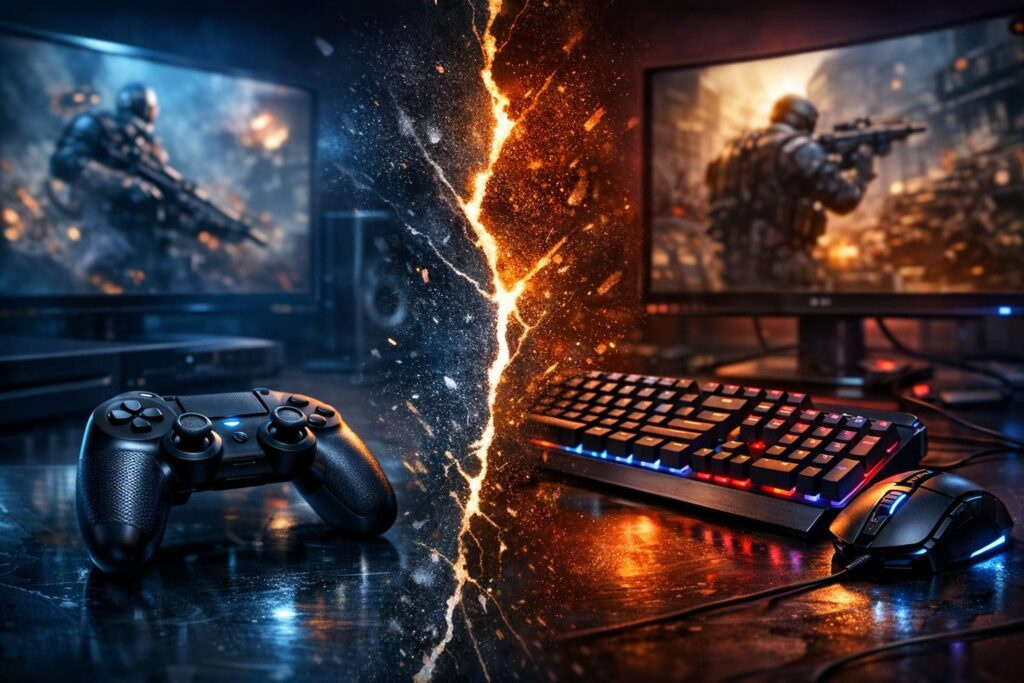
The gaming world has been split into two camps for years: those who swear by the precision of keyboard and mouse, and those who can’t imagine playing without a controller in their hands. Whether you’re grinding ranked matches in competitive shooters or exploring vast open worlds, your choice of input device can seriously impact your gaming experience. Let’s break down everything you need to know about controllers versus keyboard and mouse to help you pick the perfect gaming setup that matches your playstyle and favorite genres.
Why Keyboard and Mouse Dominate Competitive Gaming
When it comes to competitive gaming, keyboard and mouse setups have earned their reputation as the gold standard. The mouse offers unmatched aiming precision that simply cannot be replicated with analog sticks. Every tiny movement of your wrist translates directly to on-screen action, allowing for pixel-perfect accuracy in first-person shooters like Valorant, Counter-Strike, or Apex Legends.
The keyboard brings an arsenal of customizable hotkeys to the table. With dozens of programmable buttons at your fingertips, you can execute complex combos, switch weapons instantly, and activate abilities without fumbling through menus. This makes keyboard and mouse setups particularly powerful for:
- Fast-paced first-person shooters requiring quick flick shots
- Real-time strategy games demanding rapid unit control
- Multiplayer online battle arenas with multiple ability bindings
- MMORPGs with extensive action bars and macros
Professional esports players overwhelmingly choose keyboard and mouse for tournaments because that split-second advantage in reaction time can mean the difference between victory and defeat. The unlimited tracking space with a large mousepad gives you complete freedom of movement without hitting physical limitations like you would with a joystick.
The Learning Curve Challenge
However, mastering keyboard and mouse gaming isn’t instant. New players often struggle with the coordination required between two separate input devices. Your hands work independently, which takes practice to feel natural. Additionally, long gaming sessions can lead to wrist strain or fatigue if you don’t maintain proper posture and take regular breaks.
Controller Gaming: Comfort Meets Accessibility
Controllers offer something that keyboard and mouse setups struggle to match: pure ergonomic comfort. Designed to fit naturally in your hands, modern controllers let you lean back in your chair or even game from your couch without sacrificing control. The symmetric design distributes the workload evenly between both hands, reducing strain during marathon gaming sessions.
The immersive features of controllers add layers of feedback that enhance your gaming experience. Haptic vibrations let you feel every explosion, crash, and gunshot. Adaptive triggers provide resistance that changes based on in-game actions, like drawing a bowstring or accelerating a vehicle. These tactile sensations create a deeper connection to the virtual world you’re exploring.
Where Controllers Shine Brightest
Certain game genres were practically designed with controllers in mind. The analog sticks provide smooth, gradual movement that feels more natural for character control in third-person adventures, platformers, and racing games. Sports titles and fighting games also benefit from the consistent button layout and precise analog input.
Controllers excel in games where exploration and gradual movement matter more than split-second precision. The intuitive layout lets you focus on the story and atmosphere rather than managing dozens of keybinds.
Many modern games include aim assist features when using controllers, helping to level the playing field against keyboard and mouse players in cross-platform multiplayer. While some purists debate this feature, it acknowledges the inherent precision difference between input methods and makes gaming more accessible to everyone.
Head-to-Head Comparison: Key Differences
Understanding the strengths and weaknesses of each input method helps you make an informed decision. Here’s how keyboard and mouse stack up against controllers across critical gaming factors:
| Factor | Keyboard + Mouse | Controller |
|---|---|---|
| Aiming Precision | Superior accuracy for headshots and long-range targeting | Good with aim assist, limited by stick sensitivity |
| Button Availability | 100+ programmable keys and macro support | Limited to 12-16 buttons including triggers |
| Comfort Level | Can cause wrist fatigue over extended periods | Ergonomic design reduces hand strain |
| Movement Control | Binary WASD limits gradual speed changes | Analog sticks allow variable movement speed |
| Learning Difficulty | Steeper curve for coordination between devices | Intuitive and beginner-friendly |
| Cost | Higher for quality gaming peripherals | Single device keeps costs reasonable |
Performance in Different Game Genres
Your choice should align with the types of games you play most frequently. First-person shooters demand the rapid target acquisition that mouse aiming provides. Strategy games require quick access to numerous commands that keyboards deliver effortlessly. Meanwhile, action-adventure games, platformers, and racing simulators feel more natural with the analog control of gamepads.
Making Your Decision: Practical Considerations
The keyboard and mouse versus controller debate doesn’t require choosing just one forever. Many gamers keep both options available and switch based on what they’re playing. Understanding your priorities will guide your primary setup choice.
Testing Before Committing
Most modern PC games support both input methods seamlessly. Try playing your favorite titles with each setup for several hours before making your final decision. Pay attention to these factors during testing:
- How quickly you can execute common actions
- Whether your hands feel comfortable after extended play
- If the control scheme feels intuitive for your game genres
- Your competitive performance in ranked or multiplayer modes
Optimizing Your Setup
Whichever input method you choose, proper configuration maximizes your performance. For keyboard and mouse, invest time in finding your ideal sensitivity settings and keybind placements. Start with lower mouse sensitivity for better accuracy, then adjust upward if needed. Position frequently used abilities on easily accessible keys.
Controller users should experiment with different sensitivity curves and dead zone settings. Many games let you adjust aim acceleration and response curves to match your preference. Consider remapping buttons to put critical actions on more comfortable inputs. Some modern controllers even offer back paddles for additional customization without removing your thumbs from the sticks.
The Hybrid Approach: Best of Both Worlds
Smart gamers don’t limit themselves unnecessarily. Keep both input methods available and switch based on what enhances your experience. Use keyboard and mouse for competitive shooters where every advantage matters, then grab your controller for story-driven adventures where comfort takes priority.
Some games even support simultaneous input, letting you use keyboard movement with controller driving or vice versa. This flexibility means you’re never locked into suboptimal controls just because you picked one team in the ongoing input debate.
Building Your Gaming Station
When setting up your gaming space, consider how each input method fits your physical environment. Keyboard and mouse require desk space and a proper chair height for ergonomic positioning. Controllers offer more flexibility, working equally well at a desk or from a couch with your PC connected to a TV.
Budget also plays a role in your decision. Entry-level gaming mice and keyboards can be found affordably, but high-end competitive peripherals carry premium prices. Quality controllers from major manufacturers like Xbox or PlayStation cost less than top-tier mouse and keyboard combos while still delivering excellent performance.
Final Verdict: Choose Your Gaming Style
The keyboard and mouse versus controller question ultimately depends on your personal gaming priorities. Competitive players chasing leaderboard positions benefit most from mouse precision and keyboard flexibility. Casual gamers focused on relaxation and immersive storytelling find controllers deliver superior comfort and natural control.
Neither option is objectively superior across all situations. The best input method is whichever helps you enjoy gaming most while achieving your goals. Try both, experiment with different games and genres, and don’t feel pressured to pick a side permanently. Your gaming setup should adapt to you, not the other way around. The most important thing is that you’re having fun and playing your best, regardless of what’s in your hands.
Which is better for FPS games: keyboard and mouse or controller?
Keyboard and mouse provide superior aiming precision for first-person shooters. The unlimited tracking space and direct input translation give you faster target acquisition and more accurate headshots compared to analog sticks. Most professional FPS players use keyboard and mouse for competitive advantages.
Can I use a controller on PC for all games?
Most modern PC games support controllers, especially newer titles. Some older games or specific genres like real-time strategy may have limited or no controller support. Check the game’s store page or settings menu to confirm controller compatibility before purchasing.
Is it worth learning keyboard and mouse if I’m used to controllers?
If you play competitive shooters or strategy games frequently, learning keyboard and mouse is worth the initial struggle. The skill ceiling is higher, and you’ll see performance improvements after the adjustment period. For single-player adventures and casual gaming, controllers remain perfectly viable.
Do controllers have any advantages over keyboard and mouse?
Controllers offer better ergonomic comfort for long sessions, analog movement control for gradual speed changes, built-in haptic feedback, and easier couch gaming. They excel in racing games, platformers, sports titles, and story-driven adventures where precision aiming matters less than smooth character movement.
What’s the best way to improve with keyboard and mouse?
Start by finding comfortable sensitivity settings that allow accurate tracking without overshooting targets. Practice in aim trainers or casual matches before jumping into ranked play. Keep your keybinds consistent across games when possible, and give yourself at least two weeks to adjust before judging performance.
Should I buy expensive gaming peripherals or start with budget options?
Budget peripherals work fine for beginners. Focus on comfort and build quality rather than flashy features. Once you’ve developed your skills and preferences, upgrade to higher-end options with better sensors, customization, and durability. Expensive gear won’t automatically make you better at gaming.
Comments (0)
Sign In / Sign Up
Sign in with your Google account to leave a comment. It's fast, easy, and secure.
No comments yet
Be the first one to share your thoughts!