

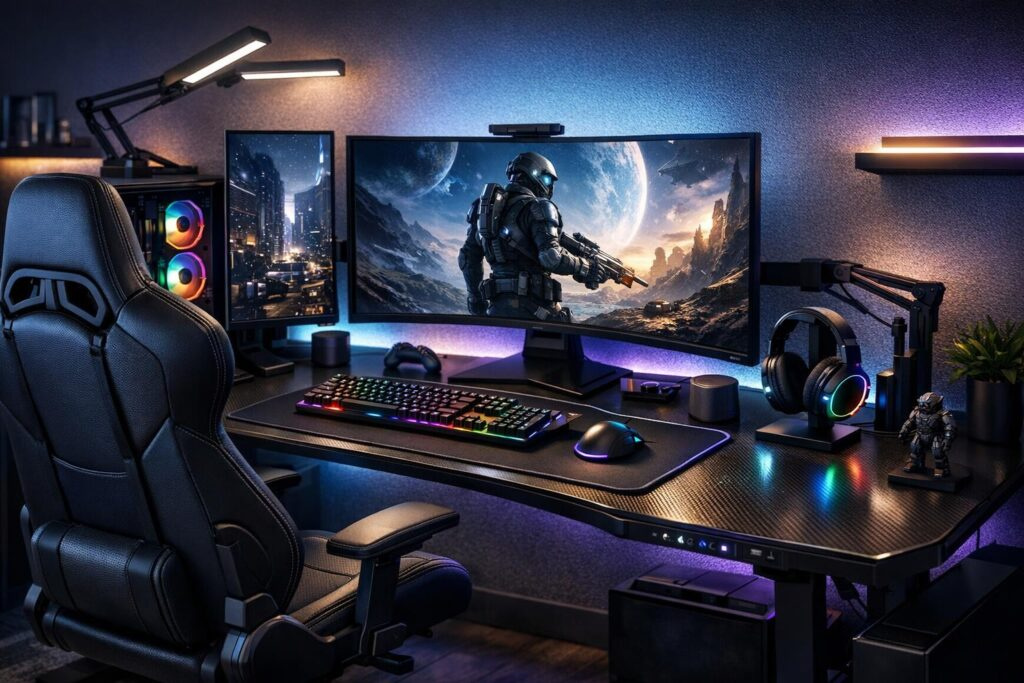

Gaming for hours shouldn’t feel like a punishment for your body. An ergonomic gaming desk setup transforms your battle station from a pain factory into a comfort zone where you can raid, stream, or climb ranked ladders without your back screaming for mercy. Let’s break down exactly how to build the perfect gaming desk ergonomics that’ll keep you performing at your peak.
Why Ergonomics Matter for Gamers
Think about it: professional athletes don’t ignore their physical setup, so why should gamers? Your body wasn’t designed to sit hunched over a keyboard for eight-hour sessions. Poor ergonomic gaming setup choices lead to:
- Chronic neck and shoulder pain that ruins your focus
- Wrist strain that kills your aim precision
- Lower back problems that make sitting unbearable
- Eye fatigue from improper monitor positioning
Getting your ergonomic desk for gaming dialed in isn’t just about comfort—it’s about maintaining your competitive edge and protecting your long-term health.
Building Your Foundation: Chair and Desk Selection
Choosing the Right Gaming Chair
Your gaming chair is ground zero for ergonomics. Skip the flashy aesthetics for a moment and focus on these essential features:
- Adjustable height: Your feet should rest flat on the floor with knees at 90 degrees
- Lumbar support: Maintains your spine’s natural S-curve to prevent slouching
- Armrest adjustability: Height, width, and angle adjustments keep shoulders relaxed
- Seat depth adjustment: Prevents pressure on the back of your knees
- Recline function: Allows position changes during long sessions
The 90-90-90 rule is your golden standard: 90-degree angles at your ankles, knees, and hips when seated properly.
Selecting Your Gaming Desk
An ergonomic gaming desk needs to accommodate your entire setup while supporting proper posture. Here’s what matters:
| Feature | Specification | Why It Matters |
| Height Adjustability | Sit-stand capable | Allows position changes, reduces fatigue |
| Depth | 24-30 inches (60-75 cm) | Proper monitor distance and arm support |
| Width | 48+ inches for dual monitors | Comfortable peripheral placement |
| Weight Capacity | 25% over total equipment weight | Stability and longevity |
| Cable Management | Built-in channels/grommets | Clean setup, prevents snags |
For tight spaces, L-shaped desks maximize corner real estate. If your room is cramped, look for compact standing desks around 23-28 inches deep that still provide adequate workspace.
Dialing In Your Setup: The Ergonomic Checklist
Step 1: Chair Position First
Always start with your chair. Sit all the way back so your spine contacts the lumbar support. Adjust height until your feet rest flat and your knees form that crucial 90-degree angle. Your thighs should be parallel to the floor with a slight downward slope.
Step 2: Desk Height Alignment
With your chair locked in, adjust your gaming desk so your elbows sit at 90 degrees when your hands rest naturally on your keyboard. Your forearms should be parallel to the floor, with wrists in a neutral position—not bent up or down.
Step 3: Monitor Positioning
This is where many gamers mess up their ergonomic gaming setup. Follow these guidelines:
- Distance: Arm’s length away (20-30 inches or 50-80 cm)
- Height: Top of screen at or slightly below eye level
- Tilt: Slight upward tilt (10-20 degrees) to reduce glare
- Dual monitors: Position at an angle with primary screen directly in front
Pro Tip for Multiple Monitors
Invest in monitor arms for ultimate flexibility. They free up desk space and let you adjust positions on the fly. This is especially crucial for streamers who need to glance between gameplay, chat, and production software.
Step 4: Peripheral Placement
Your keyboard and mouse should sit at the same height, close enough that your elbows stay near your body. Reaching forward or to the side strains shoulders and wrists over time.
- Keep your mouse within easy reach to avoid shoulder extension
- Position keyboard directly in front of you, centered with your body
- Consider a wrist rest to maintain neutral wrist position
- Use a footrest if your feet don’t reach the floor comfortably
Level Up with Essential Accessories
Must-Have Ergonomic Add-Ons
These accessories transform a good ergonomic desk setup for gaming into a great one:
- Monitor arms: Infinite positioning adjustments beat fixed stands every time
- Keyboard tray: Drops your typing surface for better arm angles if needed
- Wrist rests: Gel or memory foam versions reduce pressure points
- Footrest: Critical if your chair doesn’t go low enough for flat feet
- Cable management: Trays, sleeves, and clips prevent desk height adjustment snags
- Desk pad: Large mouse pad that covers your desk surface for smooth movement
Lighting and Ambiance
Proper lighting isn’t just aesthetic—it reduces eye strain during marathon sessions. Position lights to eliminate screen glare. Bias lighting behind monitors reduces eye fatigue by balancing brightness levels between your screen and surroundings.
PC and Equipment Ventilation
Don’t suffocate your hardware. Leave 3-6 inches of clearance around your PC tower for airflow. Overheating components throttle performance, which is the last thing you need during clutch moments.
Different Setups for Different Gamers
The Minimalist Battle Station
Single monitor, wireless keyboard and mouse, clean desk surface. This ergonomic gaming desk setup maximizes focus and simplicity while maintaining proper positioning fundamentals.
The RGB Enthusiast Setup
Multiple monitors, RGB everything, themed aesthetics. Requires robust cable management and a wider desk to maintain gaming desk ergonomics while accommodating all that gear. Standing desk with memory presets helps switch between sit and stand modes easily.
The Streamer’s Command Center
Camera-ready setup with multi-monitor array for gameplay, chat, and production software. Monitor arms are non-negotiable here for positioning flexibility. Consider acoustic treatment and professional lighting that doesn’t compromise your ergonomic positioning.
Listen to Your Body
Pain is your body’s way of telling you something needs adjustment. Don’t ignore it.
Even with perfect ergonomic gaming setup, you need to move. Stand up and stretch every 30-45 minutes. Roll your shoulders, stretch your wrists, and look away from screens to rest your eyes. Consider setting a timer if you lose track during intense sessions.
If you experience persistent pain despite proper setup, consult a healthcare professional. Sometimes underlying issues need professional assessment.
Fine-Tuning Over Time
Your perfect ergonomic gaming desk setup isn’t static. As you upgrade equipment, change games, or notice discomfort, tweak your arrangement. Take photos of your setup from different angles to spot positioning issues you might miss while seated.
Track how you feel during and after gaming sessions. Stiff neck after competitive FPS games? Your monitor might be too low. Wrist pain after MOBA marathons? Check your keyboard and mouse height. Your body provides constant feedback—use it.
The Bottom Line
Building an ergonomic desk for gaming isn’t about dropping thousands on fancy gear. It’s about understanding the principles of proper positioning and applying them to whatever equipment you have. Start with the fundamentals—chair height, desk alignment, monitor distance—then optimize with accessories as your budget allows.
Your gaming performance depends on your physical comfort. A dialed-in ergonomic gaming desk setup keeps you focused on clutch plays instead of lower back pain. Take the time to set things up right, and your body will thank you with countless pain-free gaming hours.
Now get out there and optimize your battle station. Your K/D ratio—and your spine—will appreciate it.
Frequently Asked Questions
What is the ideal desk height for gaming?
Your desk height should allow your elbows to rest at 90 degrees when your hands are on the keyboard. For most people, this ranges from 28-30 inches for sitting, though adjustable standing desks offer flexibility to alternate positions throughout the day.
How far should my gaming monitor be from my eyes?
Position your monitor approximately arm’s length away, or 20-30 inches (50-80 cm) from your eyes. The top of the screen should be at or slightly below eye level to prevent neck strain during extended gaming sessions.
Do I really need an expensive gaming chair for ergonomics?
Not necessarily. While premium chairs offer quality construction, the key features are adjustability—height, lumbar support, armrests, and seat depth. A mid-range chair with proper adjustments beats an expensive chair without them. Focus on fit and adjustability over brand names.
How often should I stand if I have a standing desk?
Alternate between sitting and standing every 30-60 minutes. Don’t stand all day—that creates its own problems. A 1:1 or 2:1 sitting-to-standing ratio works well for most gamers, with standing breaks during queue times or between matches.
What’s the 90-90-90 rule for gaming posture?
This rule means maintaining 90-degree angles at three key points: ankles (feet flat on floor), knees (thighs parallel to ground), and elbows (forearms parallel to desk). This position distributes weight evenly and reduces strain on joints and muscles.
Can poor ergonomics actually affect my gaming performance?
Absolutely. Discomfort divides your focus, poor wrist positioning reduces aim precision, and neck strain slows reaction times. Proper ergonomics keeps you comfortable and focused, directly improving your competitive performance over long sessions.

Comments (0)
Sign In / Sign Up
Sign in to leave a comment.
No comments yet
Be the first one to share your thoughts!