

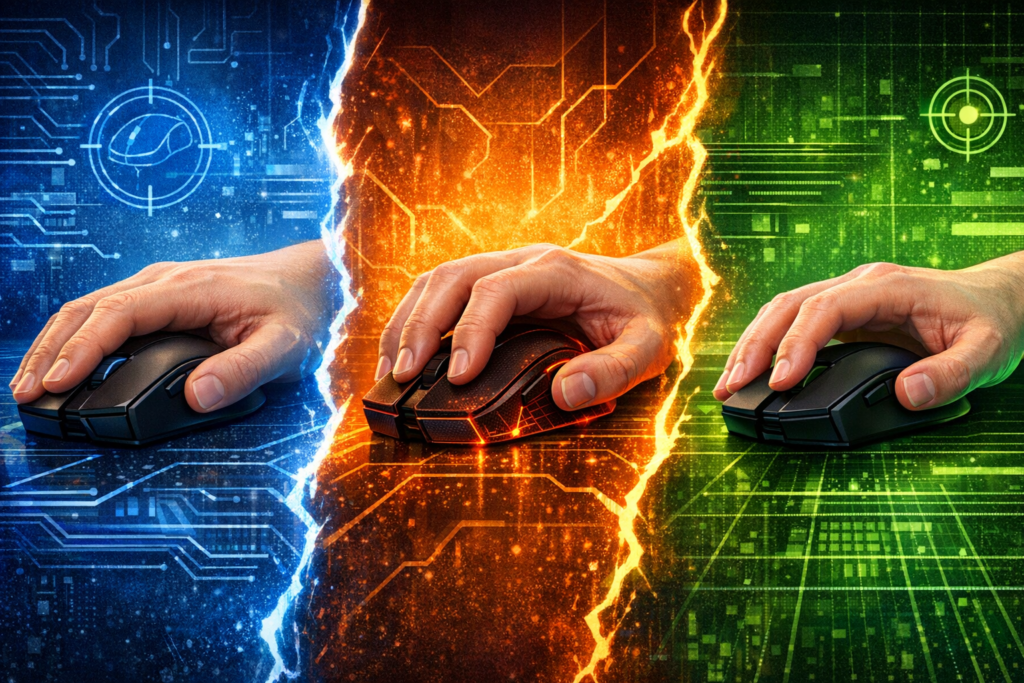

Ever found yourself in the middle of an intense gaming session, landing those perfect headshots, only to feel your hand cramping up or your aim getting shaky? The culprit might not be your skills but your mouse grip style. Understanding the difference between palm grip, claw grip, and fingertip grip can literally transform your gaming performance from average to exceptional.
Your mouse grip determines everything from how comfortable you feel during marathon gaming sessions to how precisely you can execute those lightning-fast flick shots. Whether you’re grinding through ranked matches in Valorant, building empires in strategy games, or raiding dungeons in MMORPGs, your grip style matters more than you might think.
Understanding Mouse Grip Styles and Why They Matter
Mouse grip styles refer to the way your hand makes contact with your gaming mouse. This isn’t just about personal preference or habit. Your grip style directly impacts three crucial gaming elements: comfort during extended play sessions, speed of mouse movement, and precision of your aim.
The wrong grip can lead to hand fatigue, reduced accuracy, and even long-term issues like carpal tunnel syndrome. Conversely, finding your optimal grip unlocks better performance, reduced strain, and more enjoyable gaming experiences. Professional esports players spend considerable time perfecting their grip because they understand this fundamental truth.
Three primary grip styles dominate the gaming world. Each offers distinct advantages and drawbacks depending on your hand size, gaming genre preferences, and sensitivity settings. Understanding these differences helps you make informed decisions about both your technique and mouse hardware choices.
| Grip Style | Hand Contact | Comfort Level | Speed Rating | Precision | Best For |
|---|---|---|---|---|---|
| Palm Grip | Full palm and fingers | Excellent | Moderate | Good | Long sessions, MMO, RPG |
| Claw Grip | Palm heel and arched fingers | Good | High | Very Good | FPS, MOBA, versatile gaming |
| Fingertip Grip | Fingertips only | Low | Excellent | Excellent | High sensitivity, quick flicks |
Your choice depends on multiple factors including your natural hand positioning, the games you play most frequently, your DPI settings, and even your desk setup. Many gamers naturally gravitate toward one style but switching between grips for different gaming scenarios can actually enhance overall performance.
Palm Grip: Maximum Comfort for Extended Gaming
The palm grip represents the most relaxed and natural way to hold a mouse. Your entire palm rests on the mouse surface with all fingers laying relatively flat across the buttons. This grip style transfers mouse movement primarily through your wrist and forearm rather than individual finger movements.
Advantages of Palm Grip
- Exceptional comfort for extended gaming marathons lasting several hours
- Superior stability providing consistent tracking and smooth mouse movements
- Reduced hand strain and lower risk of repetitive stress injuries
- Natural learning curve making it ideal for gaming beginners
- Works excellently with lower DPI settings for precise tracking
This grip excels in gaming scenarios requiring steady, controlled movements rather than lightning-fast reactions. Strategy games like Civilization or StarCraft benefit from palm grip stability. MMO players grinding through lengthy raid sessions appreciate the comfort factor that prevents hand fatigue.
Limitations to Consider
Palm grip does come with tradeoffs. The full hand contact limits quick micro-adjustments necessary for competitive FPS gaming. Your fingers remain relatively static, reducing click speed compared to other grip styles. Fast flick shots and rapid direction changes feel less responsive.
This grip requires larger mice with substantial back hump designs to properly support your entire palm. Smaller mice leave gaps causing discomfort and reduced control. Players with smaller hands might struggle finding appropriate palm grip mice that don’t force overextension.
Ideal Mouse Characteristics for Palm Grip
- Larger overall dimensions accommodating full palm contact
- Prominent rear hump providing palm support
- Ergonomic contours matching natural hand curvature
- Moderate weight providing stability without requiring excessive force
- Textured surfaces preventing slippage during intense moments
Palm grip users should focus on mice designed with ergonomics in mind rather than ultra-lightweight competitive models. Comfort over several hours matters more than shaving off a few grams.
Claw Grip: The Competitive Middle Ground
Claw grip strikes a balance between stability and agility. Your palm heel rests on the mouse rear while your fingers arch upward in a claw-like position, making contact primarily with fingertips. This position allows both arm movements for broad strokes and finger movements for precision adjustments.
Professional esports players frequently favor claw grip because it delivers versatility across different competitive scenarios. You maintain reasonable stability from palm contact while gaining the speed and precision benefits of active finger control.
Why Claw Grip Dominates Competitive Gaming
- Balanced combination of speed and control suitable for various game genres
- Faster clicking capability compared to palm grip
- Enables quick micro-corrections essential for competitive FPS games
- Works effectively across medium DPI ranges
- Adaptable to different mouse sizes and shapes
- Maintains reasonable comfort for moderately long sessions
This grip shines in fast-paced shooters like Counter-Strike, Apex Legends, and Overwatch where you need both tracking accuracy and quick flick potential. MOBA players also benefit from the rapid clicking ability when executing combo sequences.
Potential Drawbacks
The arched finger position can cause hand fatigue during extremely long gaming sessions. Your finger muscles work harder maintaining the elevated position compared to relaxed palm grip. Some players experience tension in their knuckles or finger joints after extended use.
Claw grip requires adaptation time if switching from palm grip. The technique feels unnatural initially, and your aim might suffer during the adjustment period. Patience and deliberate practice help overcome this learning curve.
Optimizing Your Claw Grip Setup
Successful claw grip implementation depends on finding mice with specific design features. Look for models with centered or slightly rear-positioned humps that support your palm heel without forcing your fingers too far forward. Side button placement matters significantly since your thumb maintains more active positioning.
- Medium-sized mice typically work best for average hand sizes
- Moderate weight between 70-90 grams balances control and maneuverability
- Ambidextrous shapes often suit claw grip better than heavily contoured designs
- Textured sides help maintain grip with arched finger positioning
Experiment with your hand positioning to find your personal claw variation. Some players use aggressive arches with minimal palm contact, while others employ relaxed claw grips closer to palm style. Adjust based on comfort and performance feedback.
Fingertip Grip: Precision and Speed Unleashed
Fingertip grip represents the most aggressive and dynamic mouse handling style. Only your fingertips make contact with the mouse while your palm hovers completely above without touching. This minimalist contact approach maximizes freedom of movement and enables incredibly fast directional changes.
Players using high sensitivity settings and favoring quick flick shots often gravitate toward fingertip grip naturally. The reduced contact points allow your fingers to manipulate the mouse with minimal resistance, translating to lightning-fast aim adjustments.
Fingertip Grip Advantages
- Maximum mouse movement speed and agility
- Superior precision for pixel-perfect aiming
- Excellent lateral movement capability
- Minimal palm sweating since less surface contact occurs
- Easy mouse lifting and repositioning during gameplay
- Works perfectly with ultra-high DPI settings
Battle royale games like Fortnite and Apex Legends showcase fingertip grip strengths. The constant need for quick 180-degree turns, rapid building mechanics, and snap targeting align perfectly with this grip’s capabilities. Players who value raw aiming speed over stability tend to prefer fingertip technique.
Challenges and Considerations
Fingertip grip demands the most from your hand muscles. Your fingers bear the entire control burden without support from palm contact. This leads to rapid fatigue, especially for gaming newcomers unused to the finger strength requirements.
Stability suffers compared to other grip styles. The minimal contact points provide less feedback and control during precise tracking scenarios. Low sensitivity aiming that requires smooth, controlled movements becomes significantly more challenging.
Fingertip grip users need exceptional finger strength and dexterity. Consider this grip advanced technique requiring dedicated practice and conditioning.
Mouse Selection for Fingertip Grip
Fingertip grip necessitates specific mouse characteristics diverging from palm and claw preferences. Smaller, lightweight mice work best since you manipulate them primarily through finger movements rather than arm or wrist motions.
- Compact dimensions preventing interference with finger movements
- Ultra-lightweight construction below 80 grams ideally
- Low profile designs without prominent rear humps
- Flat or minimally contoured shapes
- Aggressive grip tape or textured surfaces for secure fingertip hold
Avoid large ergonomic mice designed for full palm support. These force your fingers into uncomfortable positions when attempting fingertip grip. Ambidextrous mice with symmetrical shapes typically serve fingertip users better than specialized ergonomic designs.
Determining Your Optimal Mouse Grip Style
Discovering your ideal grip involves self-assessment, experimentation, and honest evaluation of your gaming priorities. No single grip reigns supreme across all situations. Your perfect choice depends on personal factors and gaming context.
Hand Size Considerations
Your hand dimensions significantly influence which grip feels natural and performs best. Measure your hand length from wrist crease to middle fingertip and width across the palm. These measurements guide mouse size selection and grip compatibility.
- Small hands (under 17cm length): Fingertip or claw grip with compact mice
- Medium hands (17-19cm length): All grips viable, claw offers best versatility
- Large hands (over 19cm length): Palm or relaxed claw with larger mice
Gaming Genre Alignment
Different game types reward different grip characteristics. Match your grip choice to your primary gaming activities for optimal results.
First-Person Shooters: Claw or fingertip grip provide the speed and precision competitive shooting demands. Palm grip works for tactical shooters emphasizing positioning over twitch reactions. MOBAs and Strategy Games: Palm grip reduces fatigue during long matches. Claw grip enables faster ability execution and combo inputs. MMORPGs: Palm grip dominates due to extended session comfort requirements. Claw works for action-oriented MMOs with frequent combat. Battle Royales: Fingertip or aggressive claw grip support the quick reactions and building mechanics these games require.Sensitivity Settings Impact
Your DPI and in-game sensitivity settings interact with grip style effectiveness. High sensitivity suits fingertip and claw grips emphasizing finger movements. Low sensitivity pairs better with palm grip utilizing larger arm movements.
Experiment with adjusting sensitivity when testing new grips. You might discover that changing grip enables different sensitivity ranges previously uncomfortable. Many players find their optimal combination through trial and error.
Testing and Adaptation Process
Commit to testing each grip style properly before making final decisions. Spend at least several gaming sessions with each grip, allowing your muscles to adapt and technique to develop.
- Record performance metrics during testing periods
- Note comfort levels and fatigue onset timing
- Pay attention to aim consistency and accuracy patterns
- Consider using aim trainers for objective performance comparison
- Document which grip feels natural versus forced
Remember that adaptation takes time. Your initial performance might decrease when switching grips as your muscle memory adjusts. Push through this awkward phase before judging effectiveness.
Hybrid Approaches and Grip Variations
Many successful gamers employ hybrid techniques combining elements from multiple grip styles. These variations provide personalized solutions matching individual anatomy and preferences.
Relaxed Claw Grip
This popular variation reduces the aggressive finger arch of standard claw grip while maintaining more palm contact than pure fingertip style. Your fingers curve gently rather than sharply, and more palm surface rests on the mouse rear.
Relaxed claw delivers comfort approaching palm grip while preserving most claw grip agility benefits. This compromise suits players seeking versatility without extreme positions.
Dynamic Grip Switching
Advanced players sometimes shift between grips during gameplay based on immediate needs. They might use palm grip for steady tracking then transition to claw or fingertip for quick flick shots.
This approach requires significant practice and muscle memory development. The benefits include accessing strengths from multiple grip styles within single gaming sessions. However, the technique can feel inconsistent during the learning process.
Finding Your Personal Variation
Do not feel constrained by rigid grip definitions. Observe your natural hand positioning and make minor adjustments optimizing comfort and performance. Your ideal grip might blend characteristics from multiple standard styles.
The best mouse grip is the one that feels natural, performs consistently, and keeps you comfortable during your typical gaming sessions.
Common Mistakes to Avoid
Understanding what not to do helps you develop proper technique faster and avoid performance plateaus.
Forcing Unnatural Positions
Never force your hand into positions causing pain or significant discomfort. Professional players use various grips successfully, meaning no single style guarantees improvement. Forcing fingertip grip when your hand naturally favors palm creates problems without delivering benefits.
Ignoring Mouse Compatibility
Your mouse shape must match your chosen grip style. Using a large ergonomic mouse with fingertip grip or a tiny lightweight mouse with palm grip fights against proper technique. Invest in appropriate hardware supporting your grip choice.
Changing Too Frequently
Constantly switching between grip styles prevents developing muscle memory and consistent technique. Commit to one approach for extended testing periods before making changes. Jumping between grips weekly sabotages improvement.
Neglecting Posture and Ergonomics
Even perfect grip style cannot overcome poor desk setup and posture. Ensure appropriate desk height, chair adjustment, and monitor positioning. Your entire arm positioning affects how comfortably and effectively you can maintain your chosen grip.
Maintaining Hand Health and Preventing Injuries
Regardless of grip style, protecting your hands ensures long-term gaming enjoyment and performance sustainability.
Regular Stretching and Breaks
Implement stretching routines targeting fingers, wrists, and forearms. Take short breaks every hour during extended gaming sessions. These practices reduce injury risk and maintain performance consistency.
- Spread fingers wide and hold for ten seconds
- Make fists and release repeatedly
- Rotate wrists clockwise and counterclockwise
- Gently pull fingers backward to stretch tendons
- Shake hands loosely to improve circulation
Recognizing Warning Signs
Pay attention to persistent pain, numbness, tingling, or weakness in your hands and wrists. These symptoms indicate potential injury development requiring rest and possibly medical consultation. Ignoring warning signs leads to serious conditions like carpal tunnel syndrome or tendonitis.
Adjust your grip, mouse, or setup immediately if you experience consistent discomfort. No ranking points or competitive achievements justify permanent hand damage.
Making Your Final Decision
Armed with comprehensive understanding of palm, claw, and fingertip grips, you can make informed choices about your gaming technique. Remember these key takeaways when deciding your path forward.
Start with claw grip if uncertain. Its balanced characteristics work effectively for most players across various game genres. The learning curve remains manageable while delivering competitive performance.
Prioritize comfort for casual gaming focused on enjoyment rather than competition. Palm grip delivers the best experience for relaxed, extended sessions without physical strain.
Embrace experimentation as part of your improvement journey. Testing different approaches reveals surprising insights about your preferences and capabilities. Your initial impressions might not reflect long-term suitability.
Invest in quality mice matching your grip requirements. Hardware significantly impacts how effectively you can execute your chosen technique. Consider trying multiple mice to find your perfect match.
Your optimal mouse grip style exists at the intersection of comfort, performance, and sustainability. Finding it requires honest self-assessment, patient testing, and willingness to adapt. The improvement in your gaming experience and competitive results makes this investment worthwhile.
Whether you ultimately favor palm stability, claw versatility, or fingertip agility, understanding these fundamental techniques elevates your gaming capabilities. Implement what you have learned, practice deliberately, and watch your performance reach new heights.
What is the most popular mouse grip among professional gamers?
Claw grip represents the most common choice among professional esports players, with approximately 60-70% favoring this technique. The balanced combination of speed, precision, and control makes claw grip ideal for competitive gaming across multiple genres including first-person shooters and MOBAs.
Can I switch between different mouse grips depending on the game?
Yes, switching grips for different gaming scenarios is possible and sometimes beneficial. However, this approach requires significant practice to maintain muscle memory for each grip style. Most players find better results committing to one primary grip and developing hybrid variations rather than completely switching techniques.
How long does it take to adapt to a new mouse grip style?
Adapting to a new grip typically requires two to four weeks of consistent practice. Your initial performance may temporarily decrease as your muscles and muscle memory adjust to the new positioning. Commit to the new grip for at least two weeks before evaluating its effectiveness fairly.
Does mouse grip style affect DPI settings?
Mouse grip style significantly influences optimal DPI settings. Palm grip works best with lower DPI requiring larger arm movements, typically 400-800 DPI. Claw grip suits medium ranges of 800-1600 DPI. Fingertip grip enables high DPI settings of 1600-3200+ since control comes from precise finger movements rather than broad arm motions.
What mouse weight is best for each grip style?
Palm grip users benefit from moderate weight mice between 85-110 grams providing stability. Claw grip performs well with 70-90 gram mice balancing control and maneuverability. Fingertip grip demands lightweight mice under 80 grams since you manipulate the entire mouse weight primarily through finger movements.
Can wrong mouse grip cause hand injuries?
Yes, improper mouse grip can contribute to repetitive stress injuries including carpal tunnel syndrome, tendonitis, and general hand strain. Using grip styles that force unnatural hand positions or failing to take regular breaks increases injury risk. Always prioritize comfort and ergonomics alongside performance considerations.
Should I choose my mouse first or my grip style first?
Identify your natural grip tendency first by observing how you instinctively hold your current mouse during relaxed gaming. Then select mice designed to support that grip style. Trying to force a specific grip to match an incompatible mouse leads to discomfort and reduced performance.

Comments (0)
Sign In / Sign Up
Sign in to leave a comment.
No comments yet
Be the first one to share your thoughts!