

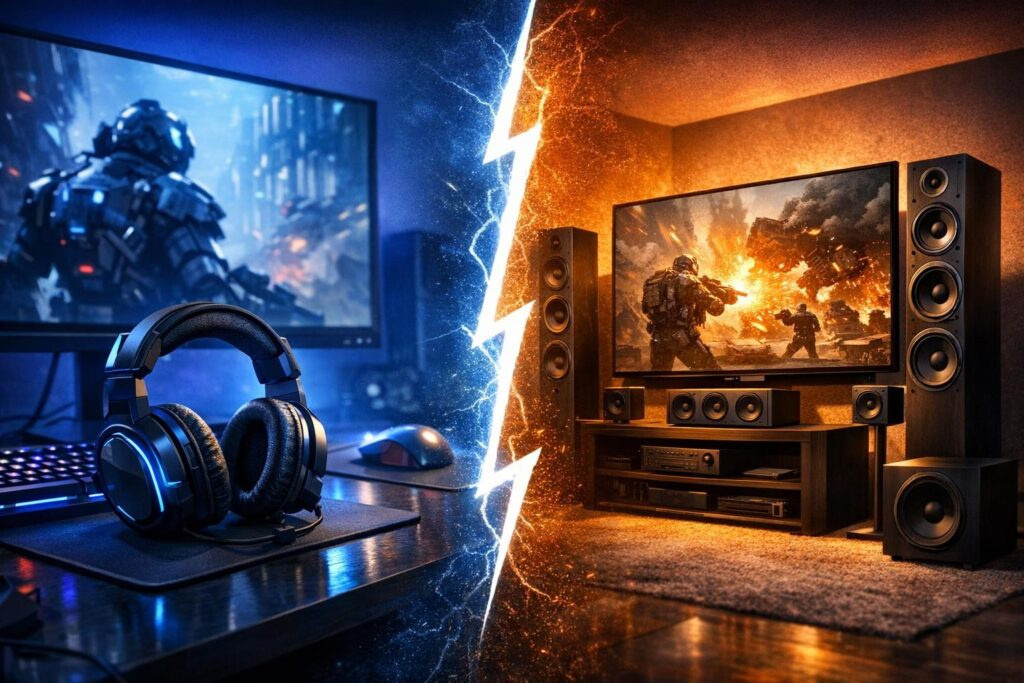

Picture this: you’re deep in a ranked match, every sound matters, and suddenly you hear footsteps. But wait—are they coming from your left, right, or somewhere behind? Your audio setup could mean the difference between a clutch victory and a frustrating defeat. The gaming industry floods us with fancy terms like “7.1 surround” and “virtual spatial audio,” but what actually delivers results? Let’s cut through the marketing noise and figure out whether stereo or surround sound truly elevates your gaming performance.
Understanding the Basics: Stereo and Surround Sound Explained
Before we dive into which option wins for gaming, let’s break down what we’re actually comparing. Audio terminology can get confusing fast, so here’s the straightforward explanation.
What Makes Stereo Audio Tick
Stereo audio operates on a simple principle: two channels delivering sound through left and right speakers or drivers. This classic setup has been around forever, and there’s a reason it stuck. When properly implemented, stereo provides exceptionally clean audio imaging. You can pinpoint where sounds originate horizontally with impressive accuracy. In competitive gaming scenarios, this clarity becomes your secret weapon.
Quality stereo headsets focus on delivering precise sound without unnecessary processing. The audio signal travels directly to your ears with minimal manipulation, preserving the original sound design that developers painstakingly crafted. For games with excellent binaural audio implementation, stereo creates a surprisingly three-dimensional soundscape using just those two channels.
Surround Sound Technology Demystified
Surround sound aims to recreate a 360-degree audio environment. Traditional home theater setups use multiple physical speakers positioned around your space—5.1 means five speakers plus a subwoofer, while 7.1 adds two more speakers for enhanced rear coverage. The subwoofer handles low-frequency effects like explosions and rumbling engines.
However, gaming headsets claiming surround sound capabilities work differently. They use virtual surround technology, processing stereo signals through algorithms to simulate multi-directional audio. Technologies like Dolby Atmos, DTS:X, and Windows Sonic rely on something called Head-Related Transfer Function (HRTF) to trick your brain into perceiving sounds coming from various directions and heights.
The Real Performance Difference in Gaming
Now for the million-dollar question: which setup actually improves your gaming experience? The answer isn’t as straightforward as marketing departments want you to believe.
Competitive Gaming Scenarios
Talk to professional esports players, and you’ll notice something interesting—many stick with high-quality stereo headsets. Why? Competitive titles like Counter-Strike, Valorant, and Rainbow Six Siege demand pinpoint audio accuracy. You need to distinguish whether an enemy is five feet or fifteen feet away, and whether they’re moving left or right.
Virtual surround processing introduces a slight delay and potential artifacts that can blur these critical details. Some players report difficulty distinguishing front-facing sounds from rear-facing ones when virtual surround is active. In clutch moments where milliseconds count, that confusion costs rounds.
That said, modern spatial audio solutions have improved dramatically. Technologies like Dolby Atmos for gaming now offer verticality detection that stereo alone struggles with. If someone’s above you on a second floor, properly implemented surround can communicate that height information more effectively.
Immersive Single-Player Experiences
Story-driven games and open-world adventures present a different scenario entirely. When you’re exploring a richly detailed world, immersion matters more than competitive advantage. Surround sound truly shines here, wrapping you in environmental ambiance that stereo can’t quite replicate.
Imagine riding through a rainstorm in Red Dead Redemption 2 with thunder rumbling around you, or hearing creatures approach from multiple directions in a horror game. The atmospheric enhancement surround provides genuinely adds to your emotional connection with these experiences. It’s not about gaining an edge—it’s about feeling present in virtual worlds.
Breaking Down the Advantages and Limitations
Let’s organize the practical differences so you can make an informed decision based on your specific needs and preferences.
| Factor | Stereo Audio | Surround Sound |
|---|---|---|
| Audio Clarity | Exceptional precision, no processing artifacts | Slightly processed, potential coloring |
| Directional Accuracy | Outstanding horizontal positioning | Better rear and vertical detection |
| Price Point | More affordable for quality options | Premium pricing for good implementation |
| Setup Complexity | Plug and play simplicity | May require software configuration |
| Competitive Gaming | Preferred by most professionals | Improving but not universally trusted |
| Immersive Gaming | Good with quality implementation | Superior atmospheric experience |
When Stereo Delivers Better Results
- First-person shooters requiring precise enemy location identification
- Fighting games where audio cues trigger split-second reactions
- Rhythm games demanding perfect audio synchronization
- Budget-conscious setups prioritizing performance over features
- Music production and listening outside gaming sessions
When Surround Sound Makes Sense
- Open-world games with rich environmental audio design
- Horror titles leveraging directional fear responses
- Racing simulators with engines roaring past you
- Flight simulators requiring spatial awareness
- Movie watching and multimedia entertainment
Marketing Myths You Should Stop Believing
The gaming peripheral industry loves throwing around impressive-sounding specifications that don’t always translate to real-world benefits. Let’s address the biggest misconceptions.
The “More Channels Equals Better Sound” Fallacy
Companies advertise 7.1 surround as inherently superior to 5.1 or stereo, but channel count alone means nothing. A mediocre 7.1 headset with tiny drivers crammed into each ear cup will lose badly against a quality stereo headset with properly sized drivers. Sound engineering matters far more than speaker quantity.
Remember that your ears have evolved over millions of years to process spatial information from just two input sources. Your brain performs incredibly sophisticated calculations to determine sound direction and distance. Quality stereo leverages this natural ability rather than fighting against it.
Virtual Versus True Surround Confusion
Here’s something manufacturers don’t always make clear: headsets cannot provide true surround sound. Physical space between speakers matters for genuine multi-channel audio. Every gaming headset using surround terminology actually employs virtual processing to simulate that experience through stereo drivers.
This doesn’t make surround headsets worthless, but understanding what you’re actually buying helps set realistic expectations. You’re paying for sophisticated audio processing algorithms, not additional physical speakers.
Practical Setup Recommendations
Regardless of which direction you lean, proper configuration maximizes your chosen setup’s potential. Follow these guidelines to optimize your gaming audio.
Maximizing Your Stereo Experience
Start by selecting headphones with quality drivers—40mm minimum, though 50mm offers better bass response and detail. Look for reviews mentioning good soundstage, which indicates the headset creates space between audio elements despite using only two channels.
Enable HRTF options within your games when available. Many modern titles include built-in spatial audio that works beautifully with stereo headsets. These implementations often outperform generic virtual surround software because developers tune them specifically for their game’s audio design.
Position your headset properly—the drivers should sit centered over your ear canals. Even slight misalignment affects directional accuracy. If your headset includes software EQ options, experiment with profiles but avoid excessive bass boosting that muddies footsteps and other crucial sounds.
Getting Surround Sound Right
Windows users should explore Windows Sonic for Headphones—it’s free and works surprisingly well. For premium experiences, Dolby Atmos for Headphones offers noticeably better spatial precision and supports height channels that standard surround lacks.
Configure your system output to match your software. If using Dolby Atmos, set Windows to 7.1 output so the processing receives full channel information. Some games require specific audio settings to output surround properly—check forums if positioning seems off.
Test your setup using dedicated audio demos available online. These help calibrate your ears to what properly positioned sounds should feel like. Once you understand the reference, you’ll immediately notice when something’s configured incorrectly.
Finding Your Personal Audio Sweet Spot
Here’s the truth nobody likes hearing: the “best” option varies by individual. Your ear shape, hearing characteristics, gaming preferences, and even head size affect how different audio technologies perform for you.
The most expensive gaming headset means nothing if it doesn’t match your specific needs and physical characteristics. Test before committing when possible.
Consider starting with quality stereo, especially if competitive gaming forms your primary focus. You can always add virtual surround processing later through software without replacing hardware. This approach costs less and lets you compare both options directly using the same headset.
For players splitting time between competitive and immersive gaming, look for headsets with toggleable surround processing. Switch it off for competitive sessions where clarity matters most, then enable it for single-player adventures that benefit from atmospheric enhancement.
The Future of Gaming Audio
Audio technology continues advancing rapidly. Game engines now include sophisticated spatial audio systems that automatically generate proper directional cues. These built-in solutions often outperform hardware-based processing because they work from original positional data rather than trying to reverse-engineer it from mixed audio.
Console players benefit from improving native support—PlayStation 5’s Tempest 3D AudioTech and Xbox’s spatial audio implementations work with any headphones, democratizing premium audio experiences. You no longer need expensive specialized hardware to enjoy directional sound.
Expect artificial intelligence to play larger roles in audio processing. Machine learning algorithms can potentially adapt spatial audio to your unique hearing profile, creating personalized HRTF responses rather than using generic approximations. Some high-end products already offer basic versions of this technology.
Making Your Final Decision
Stop overthinking which technology wins universally. Instead, match your choice to your specific circumstances. Competitive players gain measurable advantages from clean stereo presentation. Immersion-focused gamers appreciate surround sound’s atmospheric qualities. Many people happily use both depending on what they’re playing.
Budget constraints matter too. A stellar stereo headset at $100 crushes a mediocre surround headset at the same price. Invest in audio quality first, fancy features second. Remember that your source matters—streaming compressed audio through budget gear yields disappointing results regardless of channel count.
Whatever you choose, proper implementation beats raw specifications every time. A correctly positioned quality stereo setup outperforms poorly configured surround systems costing twice as much. Take time learning your equipment, adjusting settings, and training your ears to recognize directional cues properly.
Frequently Asked Questions
Do professional gamers actually use stereo or surround sound headsets?
Most professional esports players prefer high-quality stereo headsets for competitive gaming. They prioritize audio accuracy and minimal processing delay over immersive effects. However, some pros use virtual surround for specific games that implement it well, particularly those with strong vertical gameplay elements.
Can cheap surround sound headsets compete with expensive stereo options?
Generally no. Budget surround headsets often sacrifice driver quality to accommodate processing features and multiple small speakers. A quality stereo headset in the same price range typically delivers superior overall sound quality, clarity, and positional accuracy for gaming purposes.
Does virtual surround sound work the same for everyone?
Not exactly. Virtual surround uses generic head-related transfer functions that approximate how average humans perceive directional sound. Individual variations in ear shape, head size, and hearing characteristics mean the technology works better for some people than others. Testing different options helps find what works for your specific physiology.
Should I enable both in-game spatial audio and headset surround processing?
No, avoid stacking multiple spatial audio processes. Use either the game’s built-in spatial audio with stereo output, or disable in-game processing and use your headset’s surround software. Double processing creates phase issues and artifacts that degrade sound quality rather than improving it.
How much should I spend on a gaming headset for competitive play?
Quality gaming headsets suitable for competitive play start around $80-$100. Beyond $150-$200, you hit diminishing returns unless you’re extremely sensitive to audio nuances. Focus on reputable brands known for good stereo imaging, comfortable designs for long sessions, and durable build quality rather than chasing premium price tags.

Comments (0)
Sign In / Sign Up
Sign in to leave a comment.
No comments yet
Be the first one to share your thoughts!