

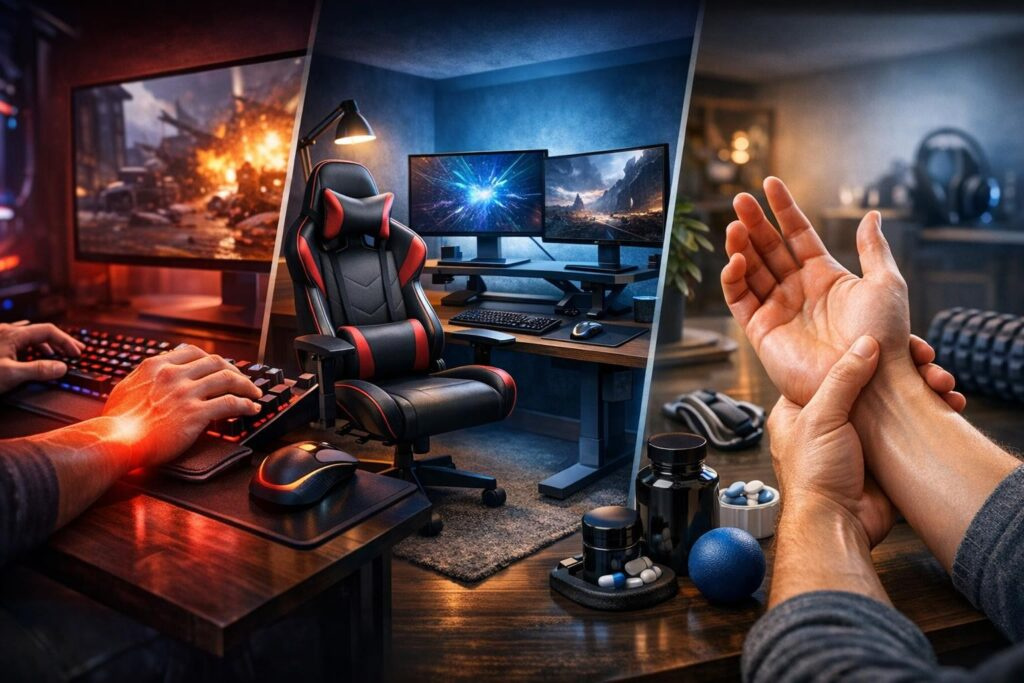

Gaming sessions can turn into epic marathons, but there’s a silent enemy lurking behind every intense ranked match and aim training routine: wrist pain and repetitive strain injury (RSI). These conditions have ended careers and ruined countless gaming experiences, transforming what should be pure enjoyment into genuine suffering. The good news? You can absolutely prevent gaming wrist pain with the right approach, and we’re about to break down everything you need to know to keep fragging without the agony.
Understanding how to protect your wrists isn’t just about comfort—it’s about longevity in gaming. Professional esports athletes treat their hands like precious equipment, and you should too. Whether you’re grinding competitive shooters, perfecting your MOBA mechanics, or speedrunning your favorite titles, implementing proper preventive measures will keep you in the game for years to come.
Understanding Gaming-Related Wrist Pain and RSI
Before diving into solutions, let’s clarify what we’re dealing with. Repetitive strain injury occurs when you perform the same motions thousands of times without adequate rest or proper positioning. Your wrists, forearms, and fingers weren’t designed for eight-hour gaming sessions with intense clicking and precise movements.
Common symptoms include:
- Sharp or dull aching in wrists and forearms
- Tingling or numbness in fingers
- Weakness in grip strength
- Stiffness after gaming sessions
- Decreased precision in mouse movements
Ignoring these warning signs leads to chronic conditions that can take months to heal. Prevention beats cure every single time, so let’s explore the three fundamental pillars of wrist health for gamers.
The Three Pillars of Gaming Wrist Health
Protecting your gaming hands requires a comprehensive approach built on three essential foundations: ergonomic setup optimization, strategic load management, and muscular endurance development. Master these three elements, and you’ll create an impenetrable defense against wrist pain and RSI.
Pillar One: Ergonomic Gaming Setup Optimization
Your gaming station is where battles are won or lost—not just in-game, but for your physical health. An optimized ergonomic setup dramatically reduces strain on your wrists, shoulders, and neck during those extended sessions.
Chair and Desk Positioning
Start with your foundation. Your gaming chair should support your lower back while allowing your feet to rest flat on the floor. Adjust the height so your elbows naturally bend at 90 to 100 degrees when your hands rest on your desk. This angle prevents excessive wrist extension and reduces forearm fatigue significantly.
Position your monitor at eye level to prevent neck strain that travels down to your shoulders and arms. Keep your screen about an arm’s length away for optimal viewing without leaning forward.
Mouse and Keyboard Setup
Place your mouse close to your keyboard—reaching outward creates shoulder tension that cascades down to your wrists. Your mouse should fit comfortably in your hand without requiring excessive gripping force. Experiment with different grip styles to find what feels most natural and requires the least tension.
Maintaining a neutral wrist position is absolutely critical. Your wrist should align straight with your forearm, not bent upward, downward, or sideways during gameplay.
Consider investing in ergonomic gaming peripherals designed specifically for extended use. Vertical mice, split keyboards, and contoured mouse pads with wrist support can reduce strain by up to fifty percent compared to standard equipment.
Wrist Support Solutions
Add cushioned wrist rests for both your mouse and keyboard. These don’t need to be expensive—even a rolled towel provides decent support. The goal is maintaining that neutral wrist position without floating your hands in mid-air, which fatigues muscles quickly.
Keep your shoulders relaxed and down, not hunched forward. This posture adjustment alone can eliminate tremendous upper body tension that contributes to wrist problems.
Pillar Two: Strategic Load Management and Break Protocols
Even with perfect ergonomics, continuous gaming without breaks guarantees eventual injury. Your muscles and tendons need recovery time to prevent cumulative damage from repetitive motions.
The Essential Break System
Implement a structured break schedule that becomes non-negotiable:
- Take a five-minute break every fifty minutes of gaming
- Incorporate micro-breaks of twenty to thirty seconds every fifteen to twenty-five minutes
- Follow the 20-20-20 rule: every twenty minutes, look at something twenty feet away for twenty seconds
During intense gaming modes like deathmatch, competitive ranked, or skill training, reduce your total session duration. High-intensity gameplay demands more from your muscles and tendons, requiring proportionally more recovery time.
Active Recovery During Breaks
Don’t just pause the game and scroll your phone. Stand up, walk around your room, and perform gentle stretches. This increases blood circulation to fatigued muscles and prevents stiffness from setting in. Shake out your hands and wrists, roll your shoulders backward, and do some light torso twists.
Think of breaks as mandatory cooldown periods between rounds. Missing them creates a debt that accumulates with interest—eventually, your body will force you to pay it back through injury and downtime.
Pillar Three: Muscular Endurance and Strengthening
Stronger muscles and tendons withstand gaming stress far better than weak, untrained ones. Dedicated wrist and forearm exercises create resilience that protects against injury during those clutch moments requiring maximum precision.
Essential Strengthening Exercises
Perform these exercises three to four times weekly, completing three sets of fifteen repetitions each:
Wrist Curls: Hold a light dumbbell with your palm facing upward, forearm resting on a table. Curl your wrist upward, then lower slowly. This targets wrist flexors crucial for mouse control.
Reverse Wrist Curls: Same position, but palm facing downward. This strengthens extensors that balance out flexor development.
Tennis Ball Squeezes: Grip a tennis ball and squeeze firmly for five seconds, then release. Repeat fifteen times. This builds grip strength and forearm endurance.
Finger Lifts: Place your hand flat on a table. Lift each finger individually as high as possible, holding for three seconds. This improves finger independence and strength for keyboard work.
Mobility and Flexibility Work
Strength without flexibility creates imbalances. Include these stretches daily:
- Flexor stretch: Extend your arm with palm facing outward, gently pull fingers back with your other hand
- Extensor stretch: Extend arm with palm facing inward, gently pull fingers toward you
- Wrist circles: Rotate wrists slowly in both directions, ten repetitions each way
- Finger spreads: Spread fingers wide, hold for five seconds, then make a fist
Hold each stretch for twenty to thirty seconds without bouncing. Stretching should feel like gentle tension, never sharp pain.
Avoid relying on wrist braces during gaming sessions. While they provide temporary support, they actually weaken muscles over time by preventing them from working naturally. Use braces only when experiencing acute pain and under professional guidance.
Additional Strategies for Long-Term Wrist Health
Nutrition and Hydration for Recovery
Your body needs proper fuel to repair and strengthen tissues. Adequate protein intake supports muscle recovery, while anti-inflammatory foods like fruits, vegetables, and omega-3 fatty acids reduce inflammation from repetitive stress.
Stay hydrated throughout gaming sessions. Dehydration affects tendon elasticity and increases injury risk. Keep water nearby and sip regularly, especially during intense competition.
Cross-Training and Physical Activity
Balance sedentary gaming with physical activity. Swimming, cycling, or general fitness training improves overall circulation, reduces muscle imbalances, and enhances recovery capacity. Even thirty minutes of daily walking makes a significant difference.
Core strengthening exercises improve posture, reducing the cascade of tension that flows from poor seated position down to your wrists. Planks, dead bugs, and bird dogs strengthen your torso without requiring gym equipment.
Managing Existing Pain
If you’re already experiencing wrist pain, immediate action prevents minor issues from becoming chronic problems:
- Reduce gaming intensity and duration immediately
- Apply ice for fifteen minutes after gaming sessions to reduce inflammation
- Modify your gameplay temporarily—switch to less intensive games or control schemes
- Consult healthcare professionals if pain persists beyond a week or worsens
Never push through sharp or increasing pain. This approach transforms manageable issues into serious injuries requiring months of recovery.
Creating Your Personalized Prevention Plan
Now that you understand the principles, implementation becomes crucial. Start by auditing your current setup against ergonomic guidelines. Take photos of your gaming station from multiple angles and identify areas needing adjustment.
Set phone alarms or use software reminders to enforce break schedules until they become habitual. Schedule your strengthening exercises on specific days, treating them as seriously as ranked gaming sessions.
Track your progress in a simple spreadsheet or notebook. Monitor pain levels, gaming duration, and exercise completion. This data reveals patterns and keeps you accountable to your wrist health goals.
The Competitive Edge of Healthy Wrists
Consider wrist health as a competitive advantage rather than boring maintenance work. Professional gamers who prioritize physical conditioning consistently outlast and outperform those who neglect it. Your aim precision, reaction times, and endurance during crucial late-game situations all improve when your body operates pain-free.
Younger gamers often feel invincible, assuming injuries only affect older players. This mindset creates habits that guarantee problems later. Start prevention practices now, regardless of your current age or pain-free status. Building healthy gaming habits early establishes patterns that serve you throughout your entire gaming life.
Gaming represents passion, competition, and community. Protecting your ability to participate fully means investing minimal time in prevention to ensure maximum enjoyment for years ahead. Your wrists are irreplaceable gaming equipment—treat them accordingly, and they’ll support countless victories, personal bests, and memorable gaming moments.
How long should I take breaks during gaming sessions?
Take a five-minute break every fifty minutes of gaming, along with micro-breaks of twenty to thirty seconds every fifteen to twenty-five minutes. During breaks, stand up, move around, and perform gentle stretches to promote blood circulation and prevent stiffness.
What is the correct wrist position for gaming?
Your wrist should remain in a neutral position, aligned straight with your forearm without bending upward, downward, or sideways. Use wrist rests or cushioned support to maintain this position comfortably throughout gaming sessions without floating your hands in mid-air.
Should I use wrist braces while gaming?
Avoid using wrist braces during regular gaming sessions as they weaken muscles over time by preventing natural movement. Only use braces when experiencing acute pain and under professional medical guidance. Focus instead on strengthening exercises to build natural support.
How often should I do wrist strengthening exercises?
Perform wrist and forearm strengthening exercises three to four times weekly, completing three sets of fifteen repetitions for each exercise. Include both strength work and flexibility stretches daily for balanced development and injury prevention.
What are the early warning signs of gaming-related RSI?
Early warning signs include dull aching or sharp pain in wrists and forearms, tingling or numbness in fingers, weakness in grip strength, stiffness after gaming sessions, and decreased precision in mouse movements. Never ignore these symptoms—reduce gaming intensity immediately and consult healthcare professionals if pain persists.
Can changing my mouse and keyboard prevent wrist pain?
Yes, ergonomic gaming peripherals can reduce wrist strain by up to fifty percent compared to standard equipment. Look for mice that fit your hand size comfortably, require minimal gripping force, and promote neutral wrist positioning. Ergonomic keyboards and cushioned wrist rests also significantly reduce strain during extended sessions.

Comments (0)
Sign In / Sign Up
Sign in to leave a comment.
No comments yet
Be the first one to share your thoughts!